LVS-7500 External System Operations Manual
LVS-7500 External System Operations Manual Page 56 of 129
Configure the Preset Settings
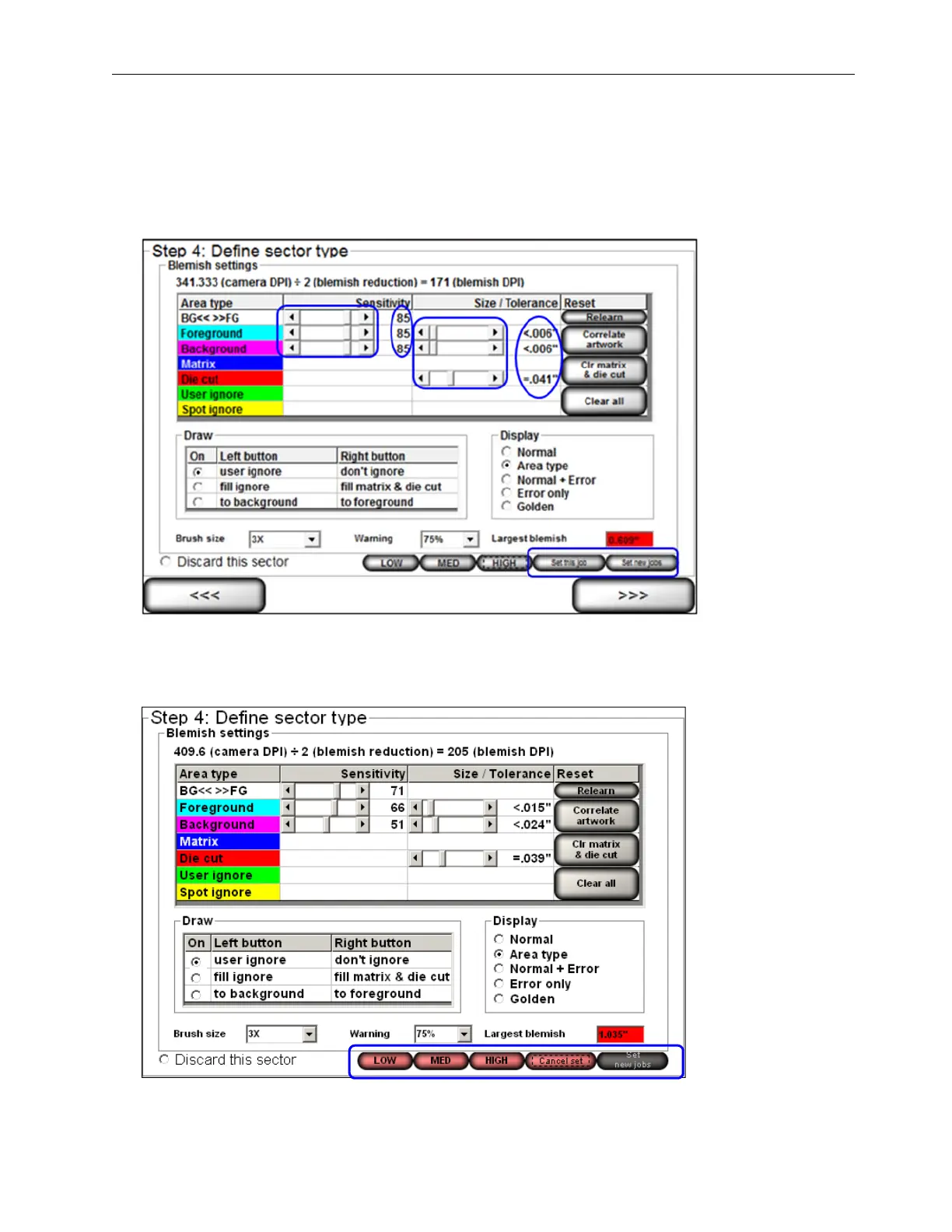
Follow the steps below to configure the blemish settings for the low, medium and high preset configuration
settings. Only users with administrator rights can configure the preset configuration settings.
1. Use the slider bar to adjust the sensitivity or size/tolerance settings for the foreground, background, and die
cut settings.
2. When settings are complete, click either the “Set this job” button to apply the settings to only that job, or click
the “Set new jobs” button to apply the settings to all new jobs created. These buttons appear only to users
with administrator rights.
3. The preset buttons (Low, Medium, High) turn red.



 To Next Page