LVS-7500 External System Operations Manual
LVS-7500 External System Operations Manual Page 65 of 129
Step 6: Alarm Matrix
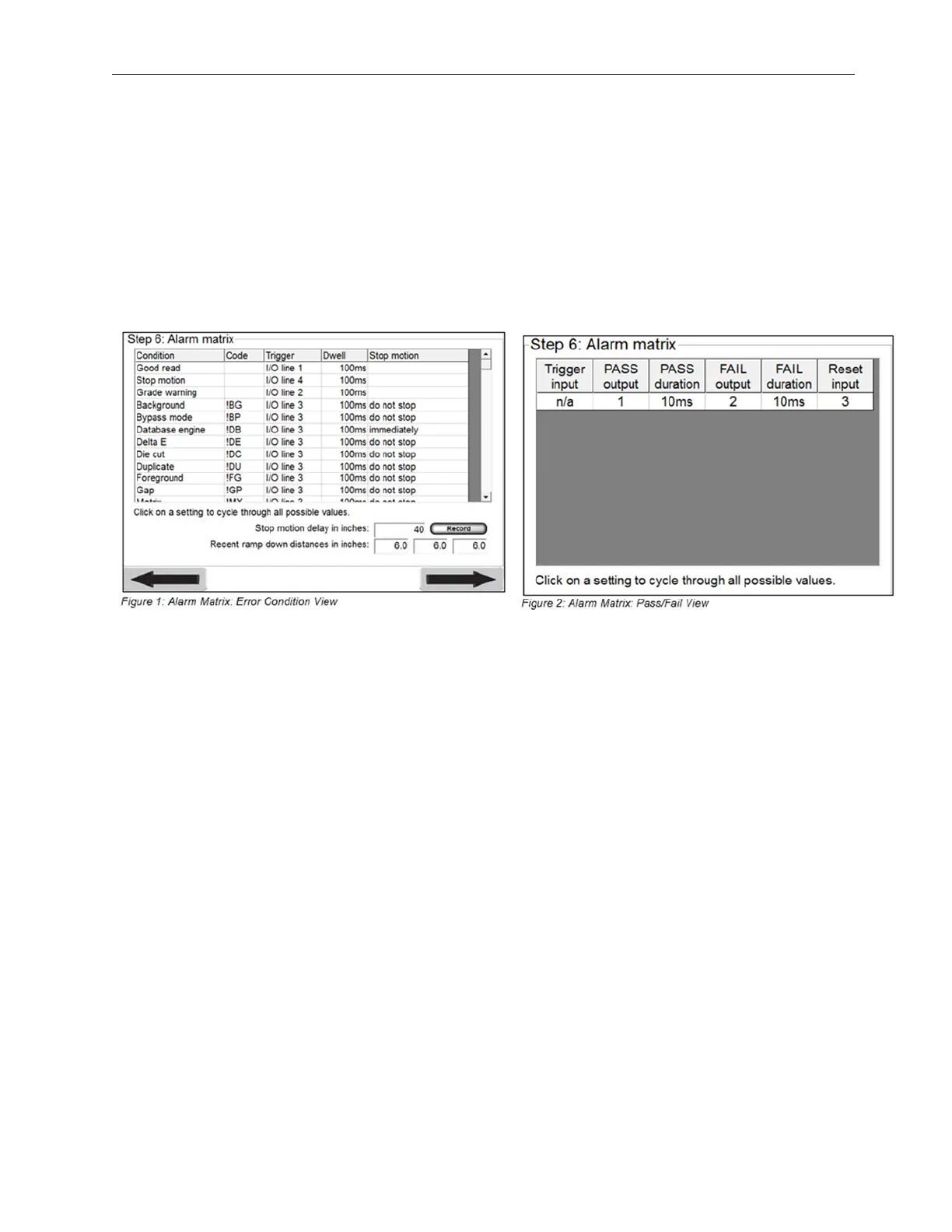
The “Step 6: Alarm Matrix” screen has two different modes, depending on your setting in the LVS7500.ini file.
• The “Alarm Matrix: Error Condition View” (Figure 1) is the default configuration and displays error-specific
I/O information. If using this configuration, see the “Alarm Matrix: Error Condition View” section below.
This view is configured in the LVS7500.ini file > [Alarm matrix] section > UsePassFailMethod=0 (default
setting).
• The “Alarm Matrix: Pass/Fail View” (Figure 2) is I/O based on the pass or fail status of the entire inspection.
If using this configuration, see the “Error Condition: Pass/Fail View” section below.
This view is configured in the LVS7500.ini file > [Alarm matrix] section > UsePassFailMethod=1.



 To Next Page