LVS-7500 External System Operations Manual
LVS-7500 External System Operations Manual Page 78 of 129
Use Global Copy to Add Sectors to All Labels Across the Screen
1. Create a sector in the left-most lane.
2. Click the Global Copy button.
3. A new sector is created with matching parameters of the first sector.
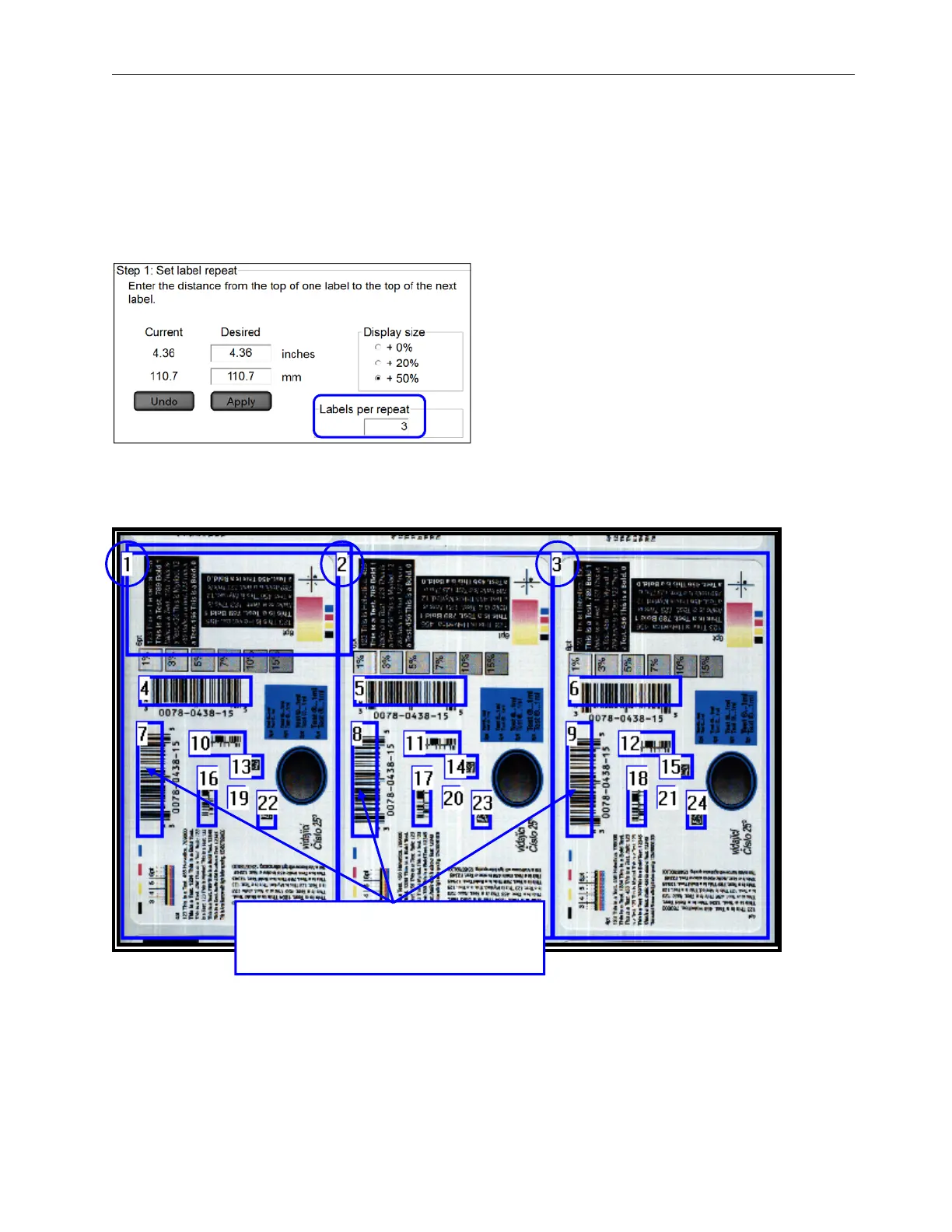
The LVS-7500 External System only creates the number of labels defined in the “Labels per repeat” field on the
“Step 1: Set label repeat” screen (see below).
Use Global Copy to Edit Sectors
The example below displays three blemish sectors (1, 2 and 3). The Global copy feature allows you to make the
same change to all three sectors without making the changes to each sector individually,
If making a change to a sector in the first
label, the same sector in the other two
labels will automatically be updated.



 To Next Page