EN9
EN
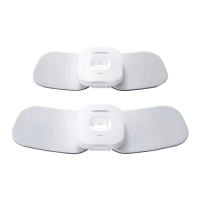
Part Names and Functions on the Device
Front
Back
Display of Indicator Lights
Indication Description
Blinks green slowly
(every 1 second)
The power is turned on and waiting for pairing or
connecting to smart device.
Blinks green quickly
(every 0.5 seconds)
Before selecting the therapy setting.
Lit green The device is connected to smart device.
Blinks orange
Battery is being recharged.
(When the battery is fully charged, the indicator light
will go off.)
Lit orange Battery is depleted.
Blinks white Therapy session is live.
Blinks purple The device is damaged. Refer to page EN29 on
Troubleshooting.
Power button
Indicator
Lights green, orange, white and purple.
Pad release button
Connection hole
This hole is used for attaching the pad as well as
securing the device to the battery charger.
Reset button



 To Next Page