19
3. Using Your Monitor without a Smart Device
This monitor tracks readings for 1 user. If you are sharing with another, manually
track your readings separately.
3.1 Taking a Measurement
You can use your monitor without pairing to a smart device. To pair your monitor
with a smart device, refer to sub-section 4.1.
• To stop the measurement, press the [START/STOP] button once to deflate the
arm cuff.
• DO NOT use this monitor with other medical electrical (ME) equipment
simultaneously. This may result in incorrect operation of the devices and/or cause
an inaccurate reading.
• Remain still and DO NOT talk while taking a measurement.
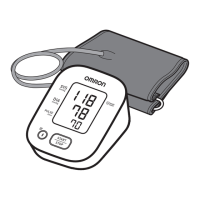
1. Press the [START/STOP] button.
All symbols except the battery symbol appear on the display before starting the
measurement.


 To Next Page