25
6. Other Settings
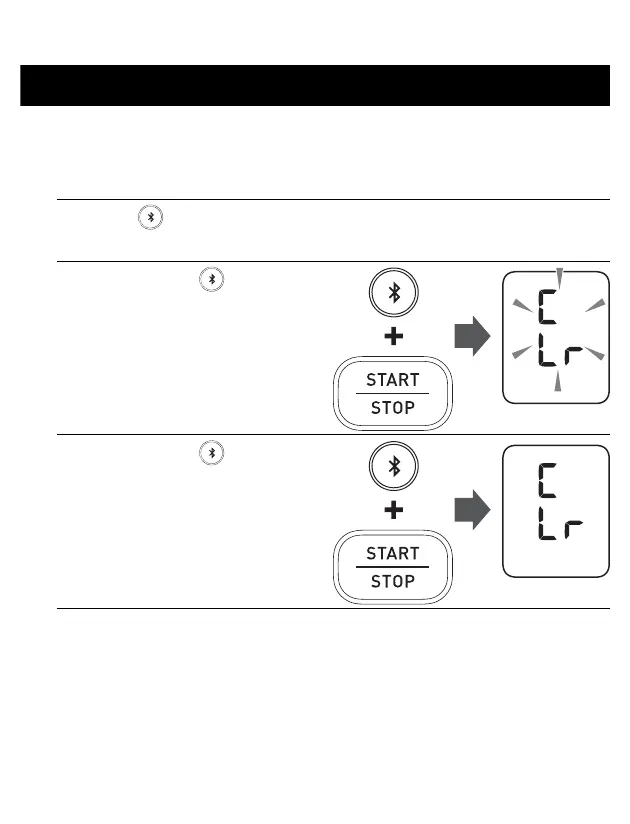
6.1 Restoring Your Monitor to the Default Settings
To delete all the information stored in your monitor, follow the instructions below.
Make sure that your monitor is turned off.
1. Press the button.
After a memory number appears, the latest reading will appear.
2. While holding the button
down, press and hold the
[START/STOP] button for
more than 4 seconds.
The display to the right flashes.
3. While holding the button
down again, press and hold
the [START/STOP] button
for more than 4 seconds.
The display stops flashing, then
your monitor is restored to the
default settings.
4. Press the [START/STOP]
button to turn your monitor off.
• Reverting to the default setting of your monitor does not delete the
information in the app.
• Your monitor automatically turns off after 10 seconds.


 To Next Page