26
7. Error Messages and Troubleshooting
If any of the below problems occur during measurement, check to make sure that no
other electrical device is within 12 inches (30 cm) of the monitor. If the problem
persists, refer to the table below.
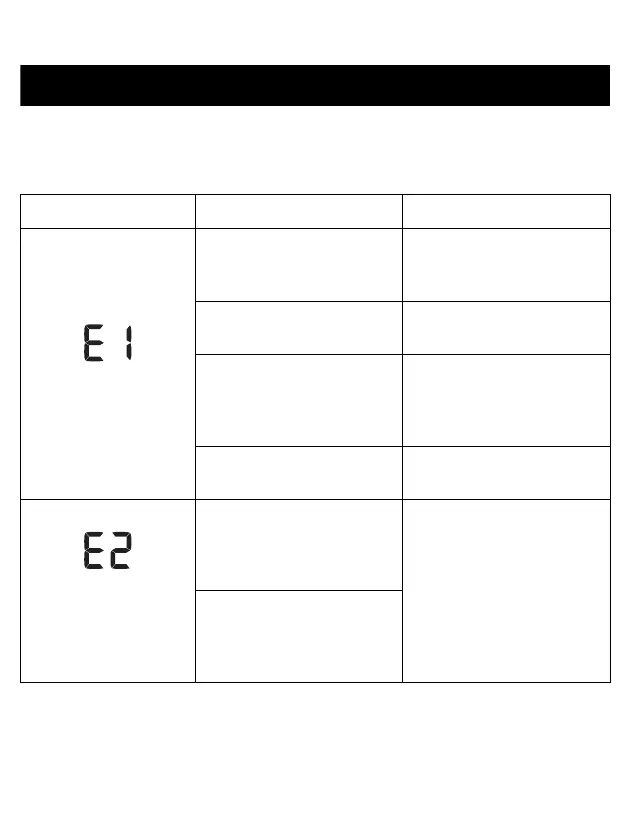
Display/Problem Possible Cause Solution
appears or the arm cuff
does not inflate.
The [START/STOP] button
was pressed while the arm
cuff is not applied.
Press the [START/STOP]
button again to turn the
monitor off.
Air plug is not completely
plugged into the monitor.
Insert the air plug securely.
The arm cuff is not applied
correctly.
Apply the arm cuff correctly,
then take another
measurement. Refer to sub-
section 2.3.
Air is leaking from the arm
cuff.
Replace the arm cuff with a
new one. Refer to section 9.
appears or a
measurement cannot
be completed after the
arm cuff inflates.
Moving or talking during a
measurement causes the
arm cuff to not inflate
sufficiently.
Remain still and do not talk
during a measurement. If
“E2” appears repeatedly,
inflate the arm cuff manually
until the systolic pressure is
30 to 40 mmHg above your
previous readings. Refer to
sub-section 3.1.
The systolic pressure is
above 210 mmHg and a
measurement cannot be
taken.


 To Next Page