2
Initial Setup (CS1 CPU Units Only) Section 1-1
1-1 Initial Setup (CS1 CPU Units Only)
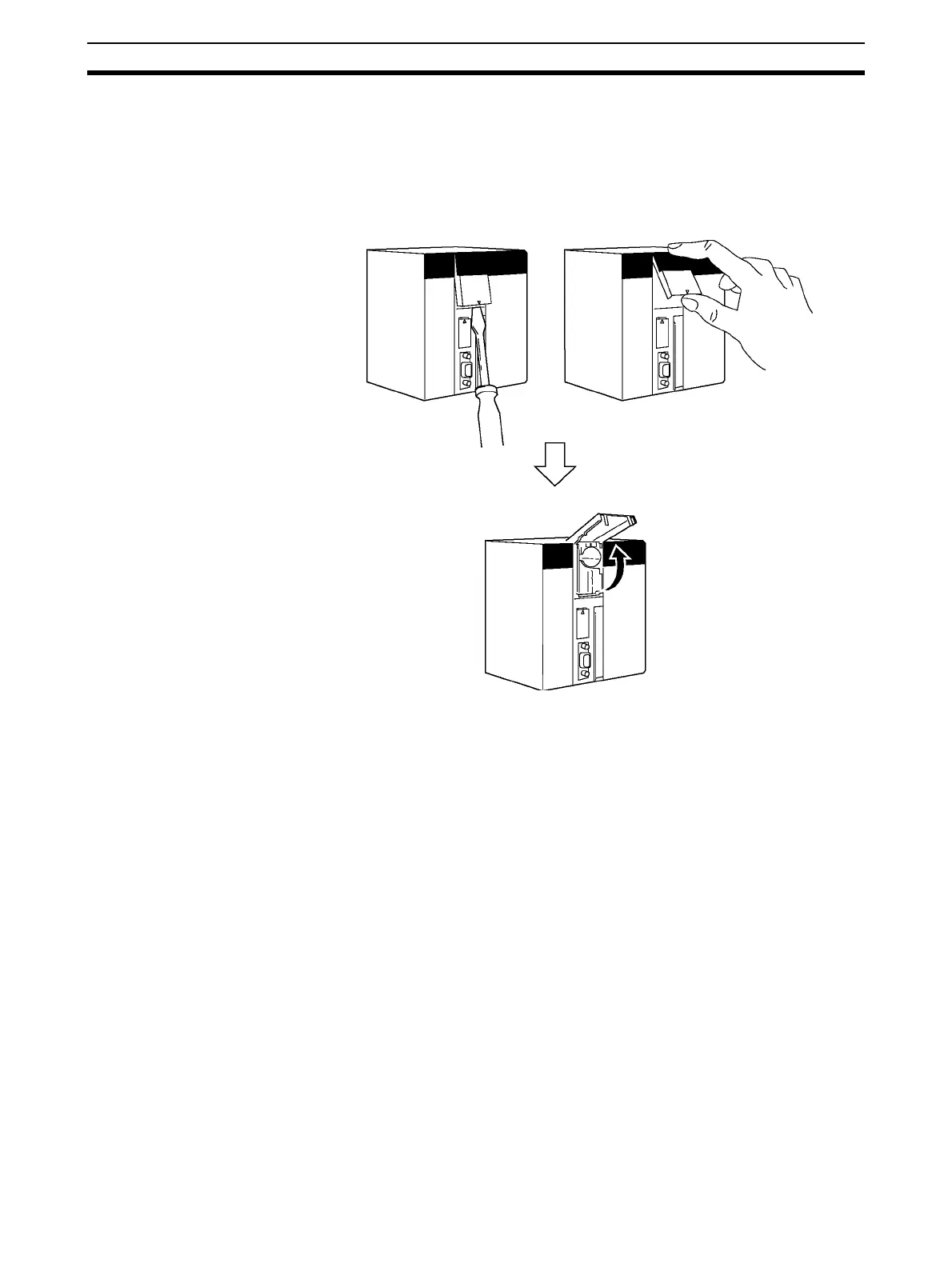
Battery Installation Before using a CS1CPU Unit, you must install the Battery Set in the CPU Unit
using the following procedure.
1,2,3... 1. Insert a flat-blade screwdriver in the small gap at the bottom of the battery
compartment and flip the cover upward to open it.



 To Next Page
 Loading...