3. Taking a Blood Pressure Measurement and Recording an ECG
EN
EN29
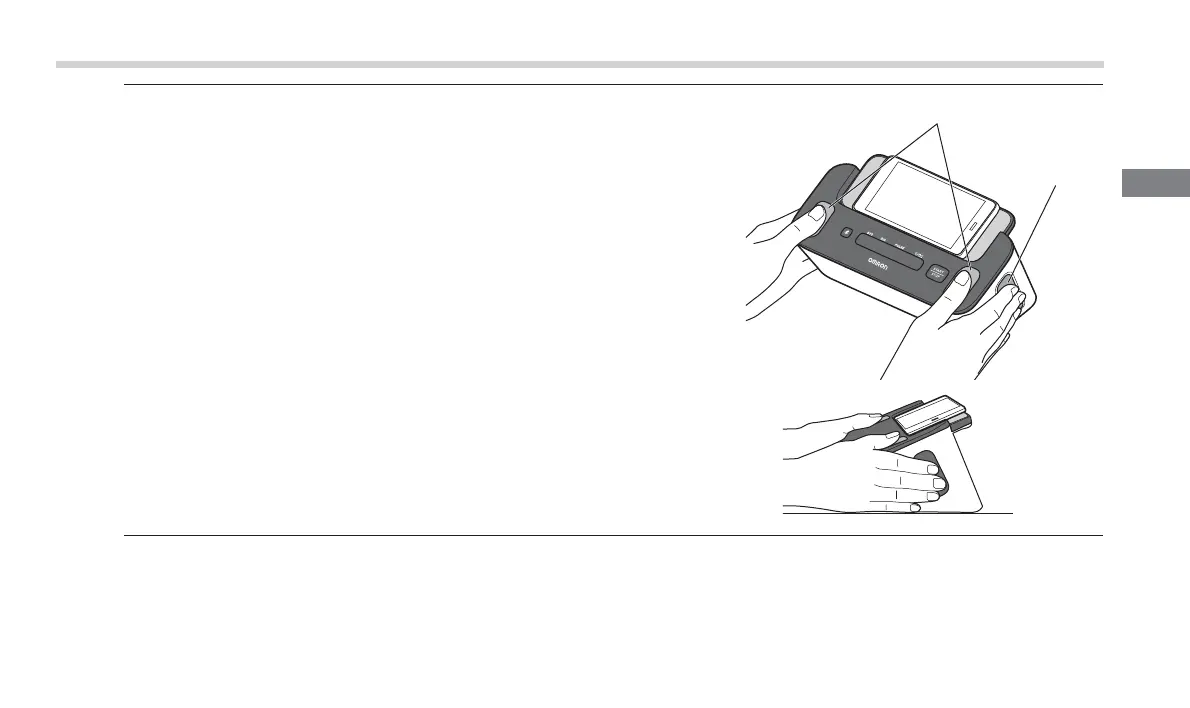
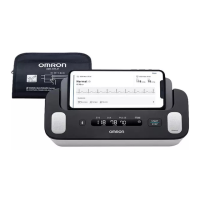
5. Touch 4 electrodes as shown in the image.
Relax your hands. Put your thumbs on the top electrodes, and 2 or more
fingers on each of the side electrodes to record your ECG.
Once fingers are placed on the electrodes, an ECG recording will
automatically start.
Note
• To reduce muscle noise, rest your arms on a flat surface for better support while
you are recording an ECG.
• To link both results (blood pressure readings and ECG recordings) mutually on
the app, touch 4 electrodes as soon as pressing the BP [START/STOP] button.
6. Remain still and do not talk until the entire measurement and recording process is
complete.
Top electrodes
Side electrode
(both sides)


 To Next Page