16
Connecting to DeviceNet Section 2-3
2-3 Connecting to DeviceNet
2-3-1 Setting the DeviceNet Node Address
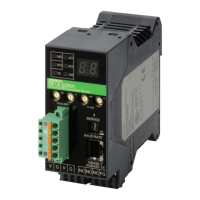
Set the DeviceNet node address using the rotary switches (NODE ADR) on
the front of the ED Router.
Note The node address is set to 63 at the factory.
Any node address in the setting range can be used as long as the same
address is not used by another node. If a value between 64 and 99 is set on
the rotary switches, the node address can be set using a software setting on
the Network Configurator.
IMPORTANT
• Turn OFF the power to the ED Router before setting the rotary switches.
• Do not change the rotary switches while the power is ON.
• A node address duplication error will occur if the same address is set for
more than one node. Communications will not start if this error occurs.
Note • Use a small flat-blade screwdriver to set the rotary switches, being careful
not to scratch them.
• Refer to 2-3-3 DeviceNet Node Address and Baud Rate Software Settings
for software setting procedures.
2-3-2 Setting the DeviceNet Baud Rate
The DeviceNet baud rate is set using the DIP switch on the front of the ED
Router. The baud rate settings are shown in the following table:
Note The baud rate is set to 125 kbit/s at the factory.
Note Refer to 2-3-3 DeviceNet Node Address and Baud Rate Software Settings for
software setting procedures.
Method Two-digit decimal number
Range 0 to 63
Pin Baud rate
1 2 3 4
OFF OFF OFF OFF
125 kbit/s
ON OFF OFF OFF 250 kbit/s
OFF ON OFF OFF 500 kbit/s
ON ON OFF OFF Software setting
ON or
OFF
ON or
OFF
ON OFF
ON or
OFF
ON or
OFF
ON or
OFF
ON Automatic baud rate
detection


 To Next Page