41
Operating Examples Section 4-3
4-3 Operating Examples
4-3-1 Overview
This section describes how to access a device on a DeviceNet or DeviceNet
Safety network from a general-purpose controller (e.g., a PLC or computer)
on an Ethernet network using UDP/IP frame message communications via an
ED Router.
In this example, a Mitsubishi CPU Module and a Mitsubishi Ethernet Interface
Module on an Ethernet network monitor an NE1A-series or DST1-series
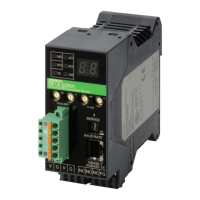
device using UDP/IP message communications via an NE1A-EDR01 ED
Router.
Note The following Mitsubishi products are used in this example.
Note For details on settings and programming, refer to 4-4 Mitsubishi Ethernet
Interface Module Settings and 4-5 Sample Ladder Programs. For advanced
monitor settings, refer to 4-6 NE1A Series Monitoring 4-7 DST1 Series Moni-
toring.
4-3-2 Settings
In this example, the following settings are made.
Mitsubishi Ethernet
Interface Module Settings
PC Parameter Settings (Refer to 4-4-1 PC Parameters.)
• I/O allocation settings
• Program settings
Module/Software Model/Version
Power Supply Module Q61P
CPU Module Q02CPU
Ethernet Interface Module QJ71E71-100
Ladder Creation Software GX Developer
CPU
Module
Ethernet
Module
• NE1A-SCPU01-V1
• NE1A-SCPU02
• DST1-ID12SL-1
• DST1-MD16SL-1
• DST1-MRD08SL-1
Ethernet
DeviceNet Safety
IP address: 192.168.250.18
IP address: 192.168.250.17
MAC ID: 17
IP address: 192.168.250.17
MAC ID: 1
Mitsubishi products
Power
Supply
Module
ED Router
NE1A Series
DST1 Series


 To Next Page