
EasyManua.ls Logo

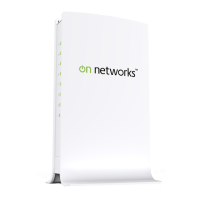
on networks N300R - User Manual

on networks N300R
138 pages
To Next Page IconTo Next Page
Loading...
202-11001-01
May 2012
Easy, Reliable & Secure
User Manual
N300 WiFi Router
(N300R) User Manual

Table of Contents

Other manuals for on networks N300R

Questions and Answers

on networks N300R Specifications

General IconGeneral
Brandon networks
ModelN300R
CategoryNetwork Router
LanguageEnglish

Summary

Configuring Basic Connectivity

Powering On Your Wireless Router

Steps to power on the wireless router.

Logging In To Your Wireless Router

Guide to accessing and logging into the router's web interface.

Configuring Your Internet Connection Using the Smart Setup Wizard

Using the wizard to automatically configure internet service provider settings.

Setting Up and Testing Basic Wireless Connectivity

Instructions for establishing and verifying wireless network connectivity.

Safeguarding Your Network

Choosing Appropriate Wireless Security

Selecting and understanding different wireless security protocols like WEP, WPA, WPA2.

Changing Wireless Security Settings

How to modify and configure various wireless security parameters.

Changing the Administrator Password

Securing the router by changing the default administrator login credentials.

Restricting Access From Your Network

Blocking Access to Internet Sites

Methods to block specific websites, URLs, and keywords.

Blocking Access to Internet Services

How to block specific internet services or applications by port number.

Customizing Your Network Settings

Using the LAN IP Setup Options

Configuring the router's Local Area Network (LAN) IP settings.

Configuring the WAN Setup Options

Adjusting Wide Area Network (WAN) settings for internet connectivity.

Fine-Tuning Your Network

Allowing Inbound Connections to Your Network

Configuring port forwarding and triggering for inbound network traffic.

Configuring Port Forwarding to Local Servers

Setting up rules to forward incoming traffic to local servers.

Configuring Port Triggering

Dynamically opening ports for applications based on outbound traffic.

Optimizing Wireless Performance

Tips and settings to improve wireless network speed and reliability.

Using Network Monitoring Tools

Updating the Router Firmware

Procedures for updating the router's firmware to the latest version.

Troubleshooting

Restoring the Default Configuration and Password

Resetting the router to factory defaults to resolve persistent issues.