Gladius H73X 3730
10
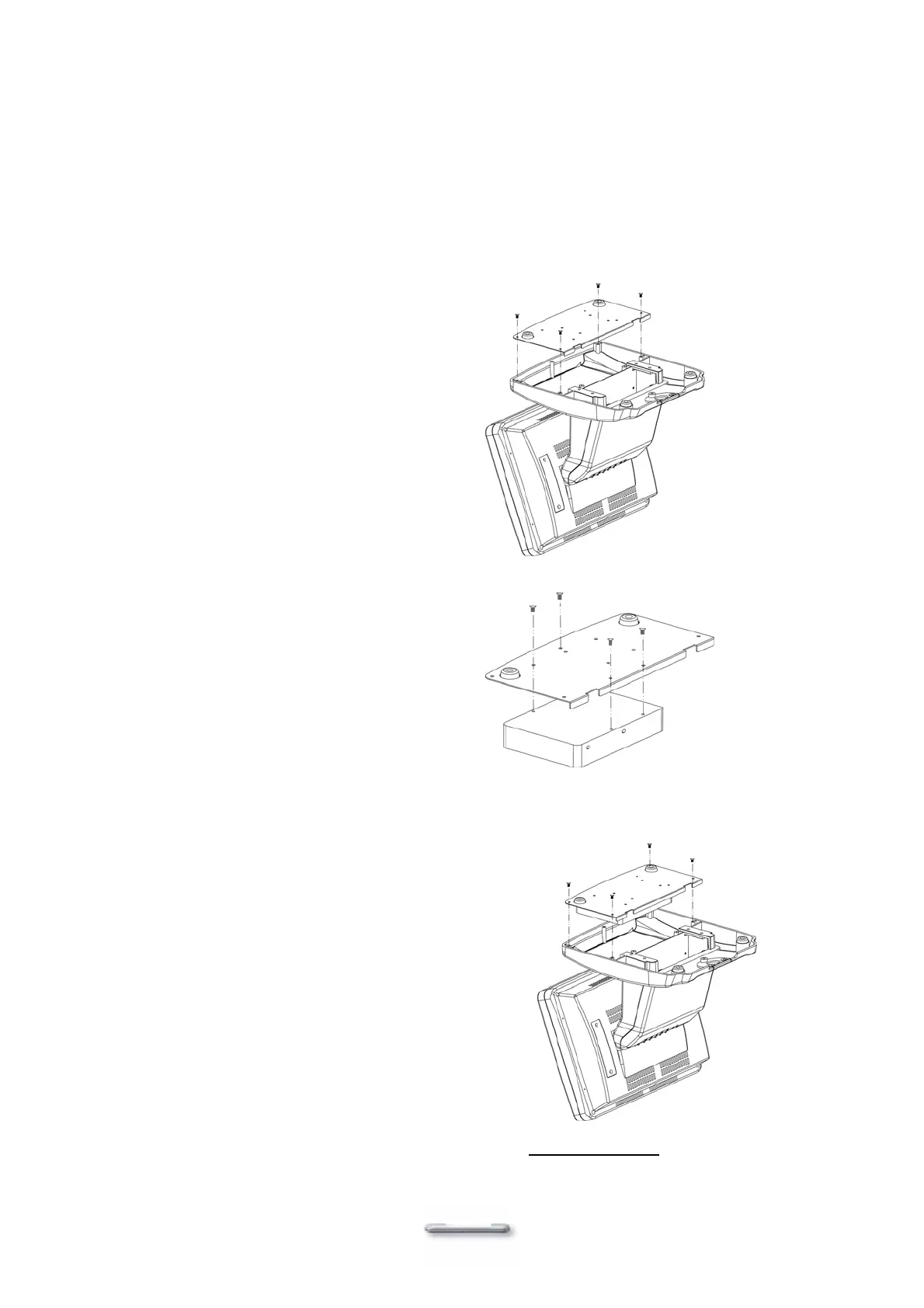
Hard Disk Drive Installation
Model H700 comes with an empty hard disk drive (HDD), unless a special request has been made.
Installing a HDD
1. Turn off power and remove power cable from main unit.
2. Remove the Base/HDD Plate from the
base (4 screws).
3. Secure the hard disk drive on the plate
(4 screws).
4. Plug the IDE and power cable to the HDD. The red stripe on the ribbon cable should be
aligned with PIN1 on the IDE connector of HDD.
5. Put the plate back to the base and
secure with 4 screws.
6. Connect the main unit power.
Note: If the HDD does not work normally, please refer to troubleshooting
.


 To Next Page