Gladius H73X 3730
15
VFD Customer Display Installation
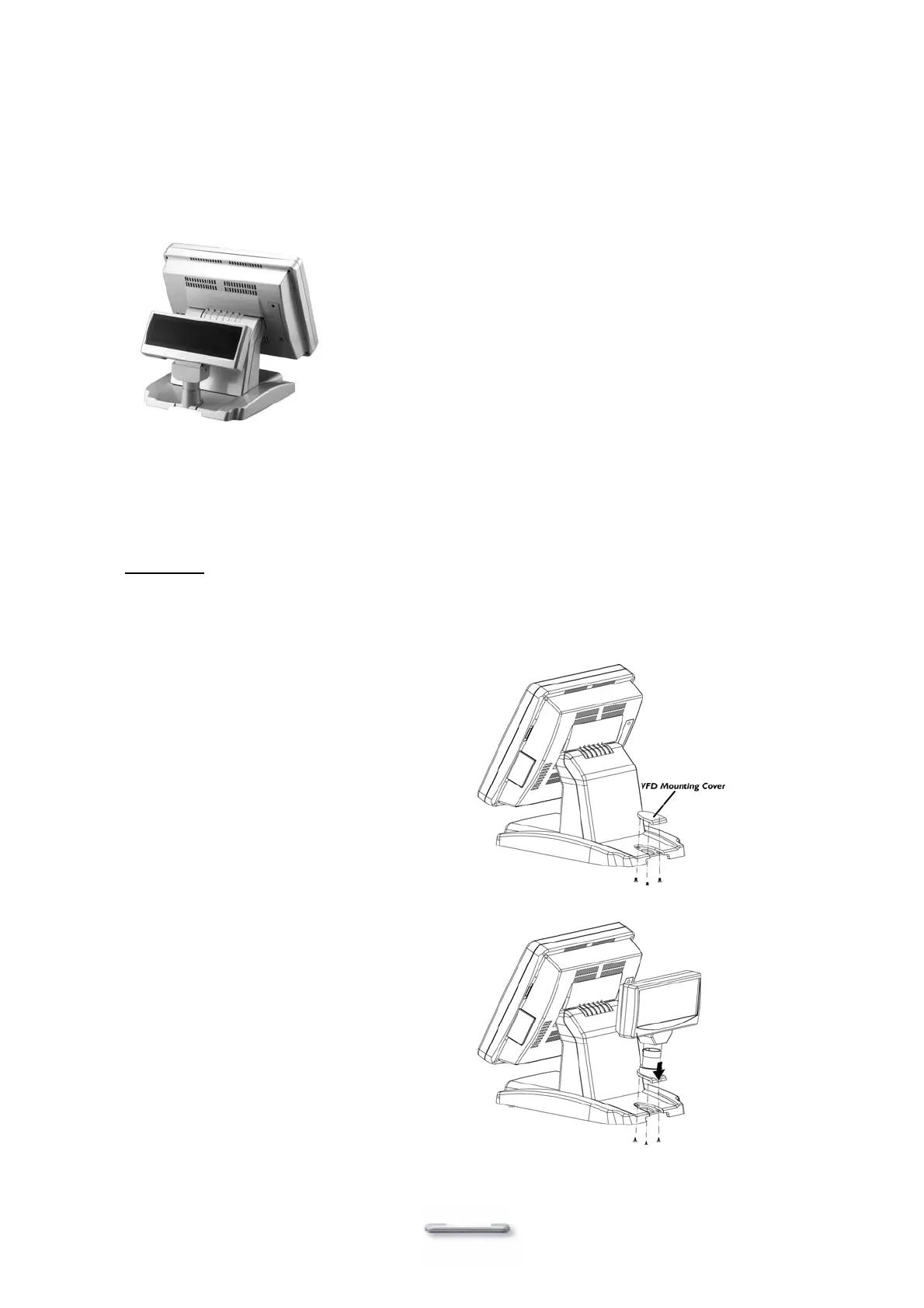
An optional VFD customer display can be installed on the back of Model H700.
Rear view with VFD attached.
Installing a VFD
1. Turn off system power.
2. Important
, make sure the jumpers on the secondary I/O board 9000PB0710 are set correctly.
Important to note the supply voltage to the VFD customer display is +12V. If an LCD customer
display is chosen, please change it to +5V.
3. Please refer to the section “9000PB0710 secondary I/O board” for jumper information.
4. Remove the VFD Mounting Cover from
the base.
5. Secure the VFD Holder to the base with
3 screws and place VFD display into the
holder.



 To Next Page