Gladius H73X 3730
58
To check where the problem could be:
Please connect a VGA monitor to the VGA port. If the VGA monitor is display normally, one of
the problems above is occurring, otherwise it could be the mainboard is not functioned properly.
Cannot Detect HDD
A) IDE/SATA cable is not connected properly to mainboard J3 or it could be defective.
B) HDD power cable is not connected properly to the I/O board or it could be defective.
C) Check BIOS setup, set IDE HDD to Auto detects.
D) The IDE/SATA port or the HDD could be defective.
Touch Panel does not Work
A) Check BIOS settings, COM3 needs to be “Enabled”. The correct settings are “3E8h” and
“IRQ10”.
B) Check if there is any conflict between COM3 IRQ10 and other devices.
C) Check the ELO driver has been properly installed. Or try to re-install again (Please refer
to the ELO driver installation).
D) Check the ELO controller on COM3 has been detected during the ELO driver installation.
If yes, than Check the flat cable from the ELO touch screen has been properly
connected to the ELO controller (Attention: Pin1 mark should be on the same side as
the ELO controller).
E) Check the ELO controller Green LED is blinking?
If no, there is no DC+5V support for the ELO controller from the mainboard.
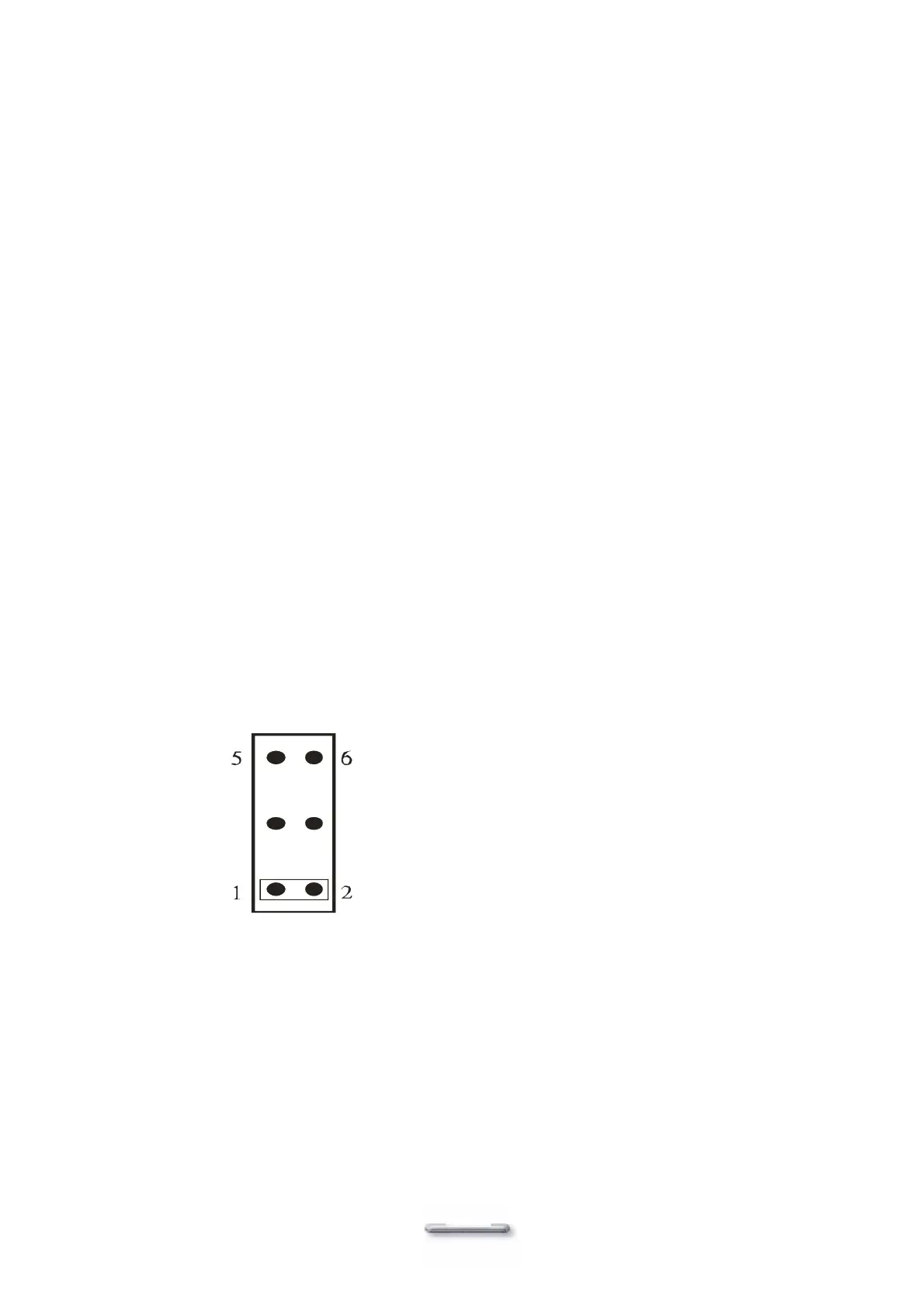
E-1) Check the mainboard JP10 jumper settings. The correct jumper settings for the
Touch screen are:
JP10
E-2) Check the COM3 cable is properly connected between mainboard J42 and the
Touch screen controller.
F) Touch screen controller could be defective or the touch panel could be defective.
ELO Touch Panel can Not Calibrate Correctly
A) Please replace the ELO controller, and re-calibrate. If this works, change back to the
original ELO controller, and re-calibrate.
B) If the ELO touch panel still cannot calibrate correctly after changing to a new ELO
controller, the touch panel may be not installed properly or it could be defective.


 To Next Page