Gladius H73X 3730
14
MCR Parameter Modification
This option is for users who need to customize the MCR parameters for a particular task.
Some of the useful parameters include:
i. The selection of country code, other than the default English.
ii. The choice of track combinations.
iii. The preamble/post amble codes.
The MCR parameters can be modified by using the supplied utility program.
The utility can be found on the CD that came with your system in the “Utilities” folder. The file
name is msr_v12_win.zip.
If you are upgrading an earlier system to include our MCR reader, this utility can be found on our
website at http://www.firich.com.tw/tech_drivers.htm
in the section labeled as “MSR Utility”.
Unzip this file into the selected fold in your system hard disk.
It will also create 3 subfolders named Disk1, Disk2, and Disk3.
Change to the folder “Disk1” and run the “Setup.exe” program, and follow the simple onscreen
instructions.
When the installation finishes, you will find that a new folder has been created in your “Program files”
folder, labeled as “Decoder” with a subfolder named “S64 Decoder”.
Now change folder to C:\Program Files\Decoder\S64 Decoder and run the program named
“S64_cfg.exe”.
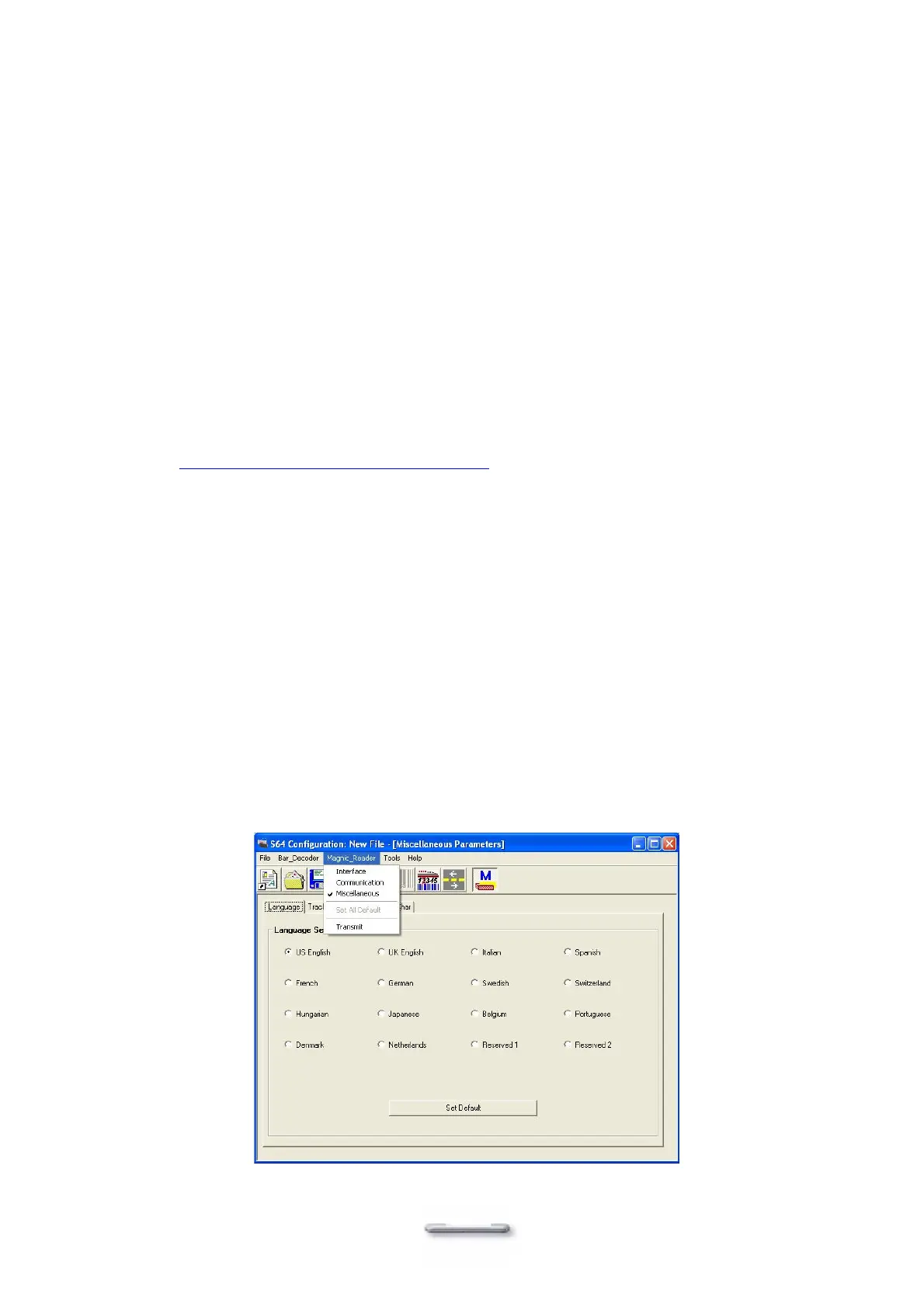
When the program has loaded please select the Magnetic Reader menu item as in the following
picture. By using the 3 top items listed; Interface, Communication and Miscellaneous, you will
be able to alter many of the parameters associated with the MCR unit.
When you have finished your modifications and are sure that they are set exactly how you want
them to be, just click on the menu item Transmit to download the new parameter to the MCR unit.
Please refer to the Help menu for any further assistance.


 To Next Page