Gladius H73X 3730
20
OSD Settings for second LCD Panel
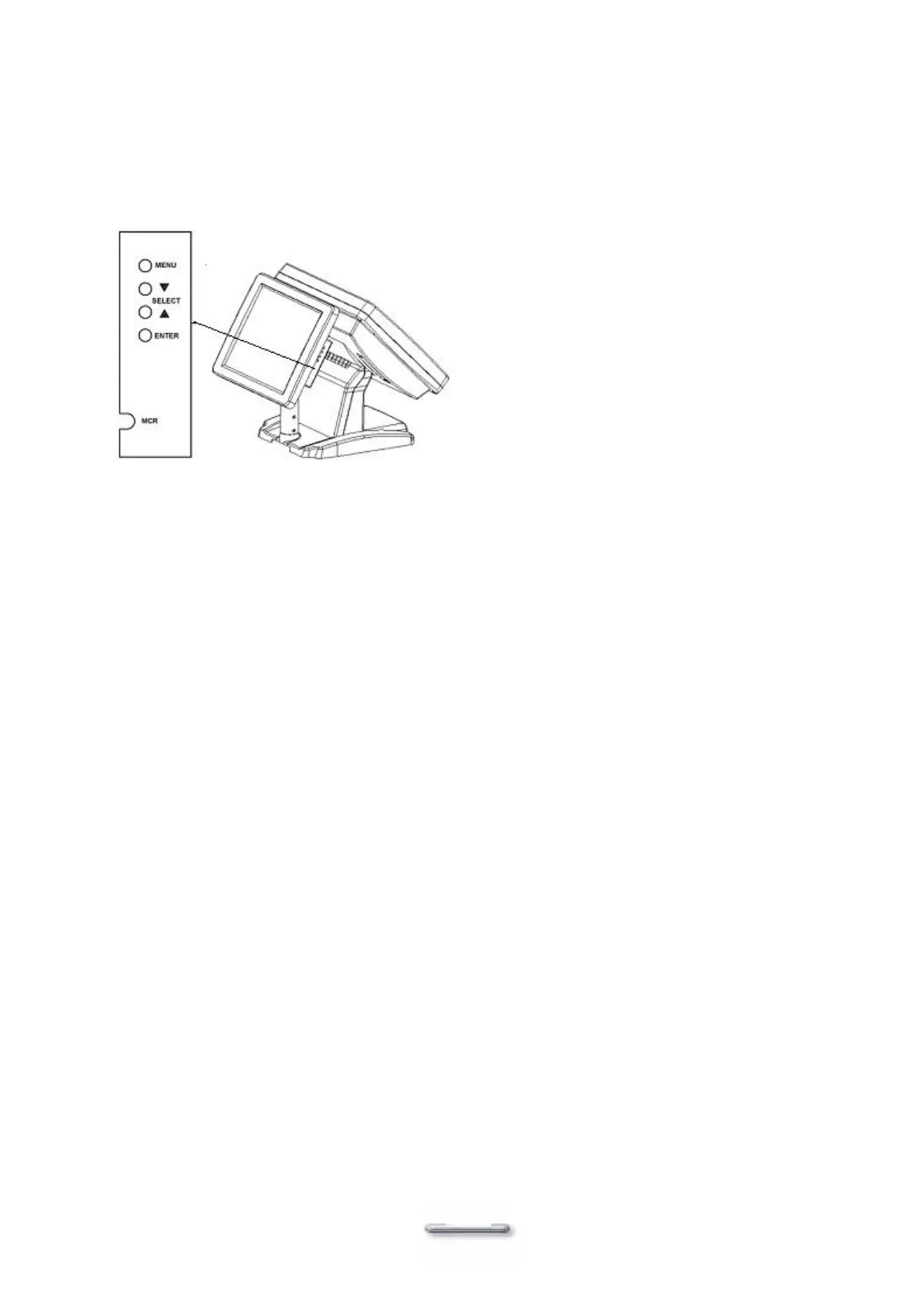
Model H700 secondary LCD panel has built-in OSD (on screen display) controls to adjust various
display parameters. The control buttons are located on the right side of the back cover.
OSD Settings
There are four buttons on the OSD panel: Select, Down, Up, and Enter. The functions of these
four buttons are as follows:
Menu
Press to open the OSD window.
Back one menu level up.
Press to exit the OSD window while in OSD mode.
Down-Arrow
Press to scroll item selection bar down.
To decrease the parameter value.
To switch the item selection (Ex: YES / NO).
Up-Arrow
Press to scroll item selection bar up.
To increase the parameter value.
To switch the item selection (Ex: YES / NO).
Enter
Enter the selected sub-menu.
Confirm selected function.
OSD Menu Structure
RGB Menu
Brightness
Red -127~127
Green -127~127
Blue -127~127
Color Temp 0~7
Sharpness 0,1
Main Menu


 To Next Page