Gladius H73X 3730
35
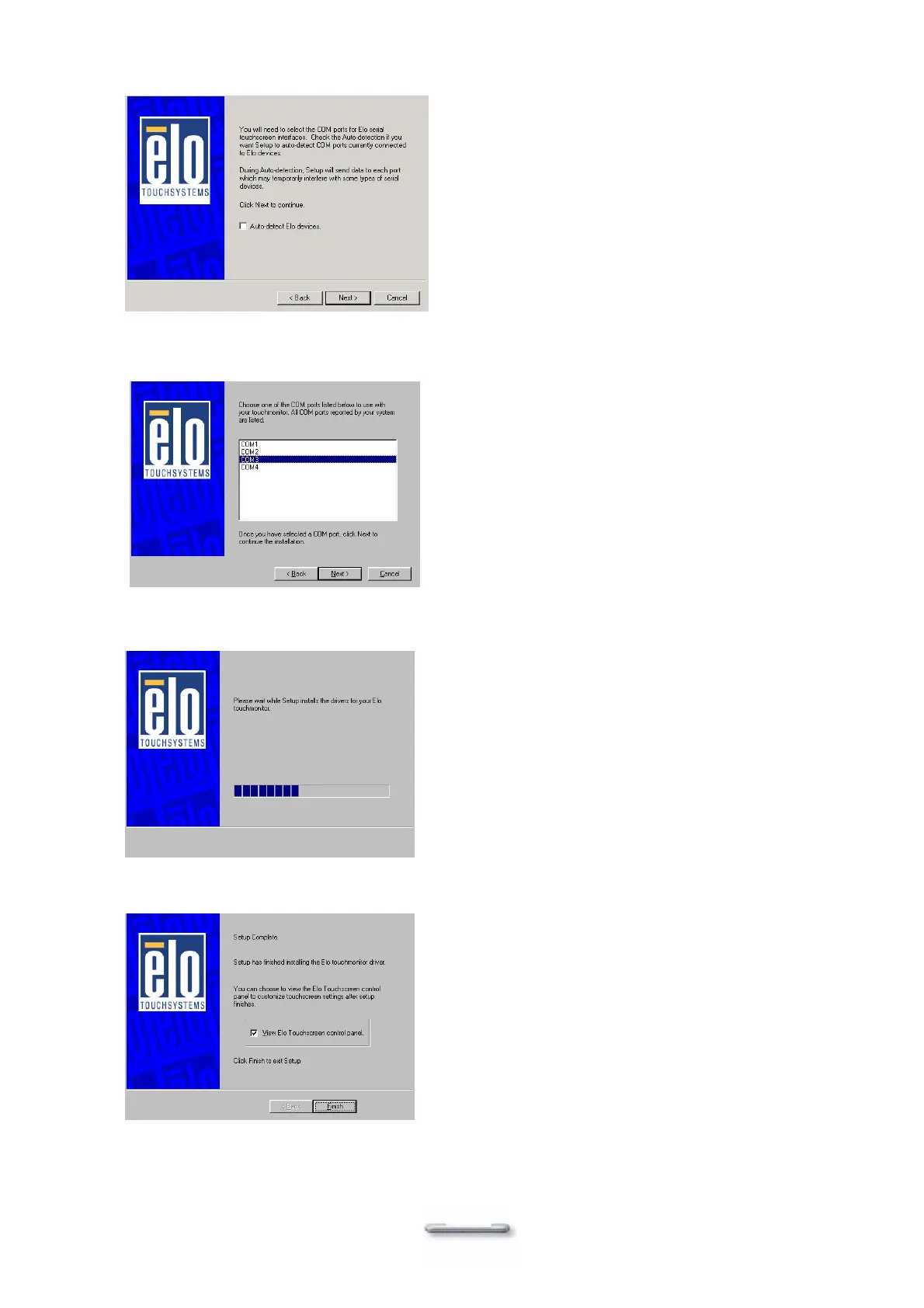
7. Select “Auto-detect Elo devices.” and click Next.
8. Select the COM port for the touch monitor. It is recommended that you select COM3 for
the touch screen, as this port is internally configured for touch operation.
9. Wait until the ELO Touch Tools have been installed.
10. Select View ELO touch screen control panel and click Finish.
IT MAY BE NECESSARY TO RESTART YOUR SYSTEM TO UTILIZE


 To Next Page