Setup and Installation
ONePlus UPS User Instruction Manual 13
and indicators, see System Code Status Chart on
page 27.
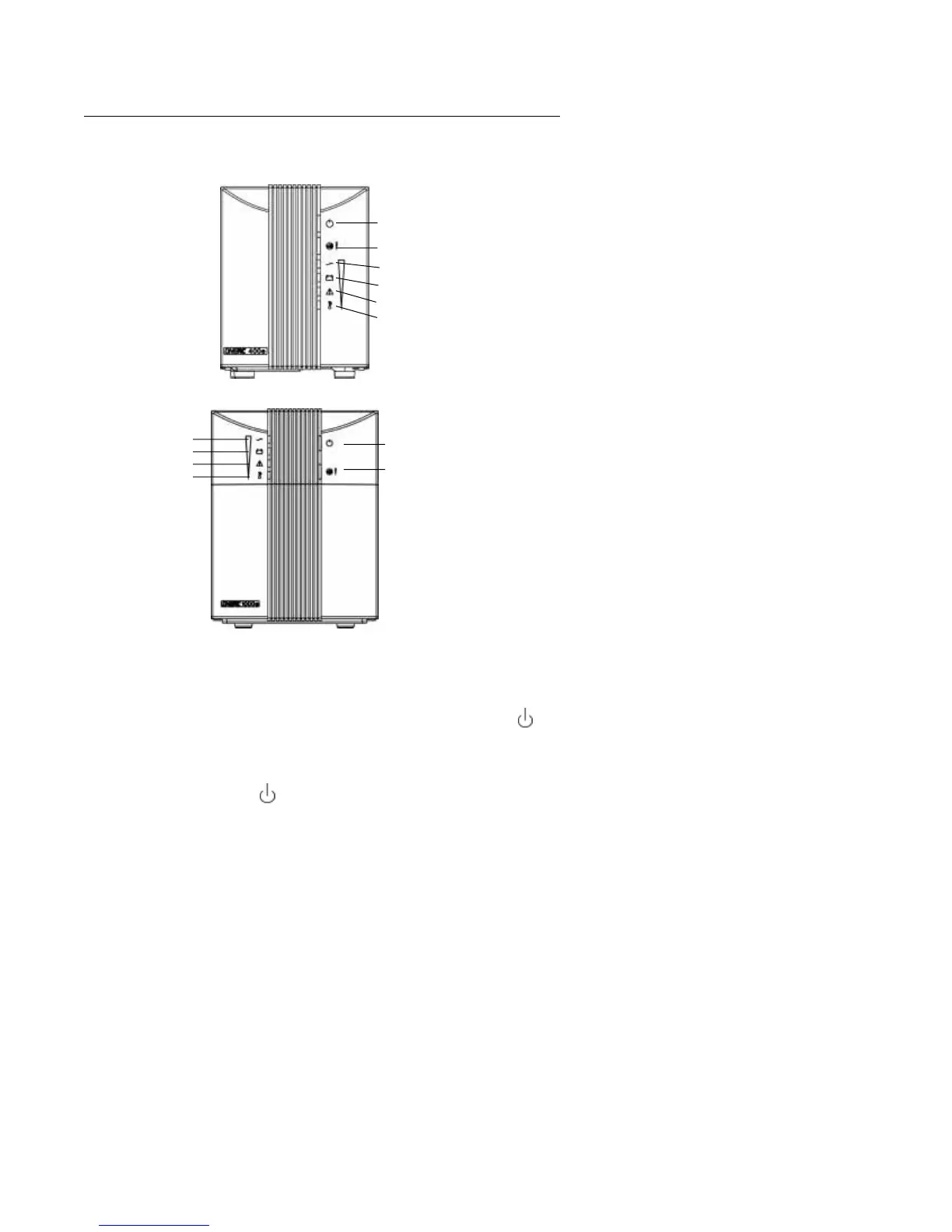
fig. 5: ONePlus UPS Front Panel
Power Switch
With the UPS connected to a properly wired AC
input power source, press the power switch ( ) on
the front panel for 2 seconds. Power is supplied to
the output connectors.
Turn OFF the UPS by pressing the power switch
( ) for 2 seconds. This turns the power to the
output connectors “OFF.” The internal charger will
continue to charge and maintain the battery as long
as the line cord is connected to a live input AC power
source.
Power Switch
Audible Alarm/Load
Power
Battery
Fault
Temperature
Power Switch
Audible Alarm/Load
Power
Battery
Fault
Temperature
250-400 VA ONePlus UPS Front Panel
600-1000 VA ONePlus1


 To Next Page