Battery Considerations
ONePlus UPS User Instruction Manual 25
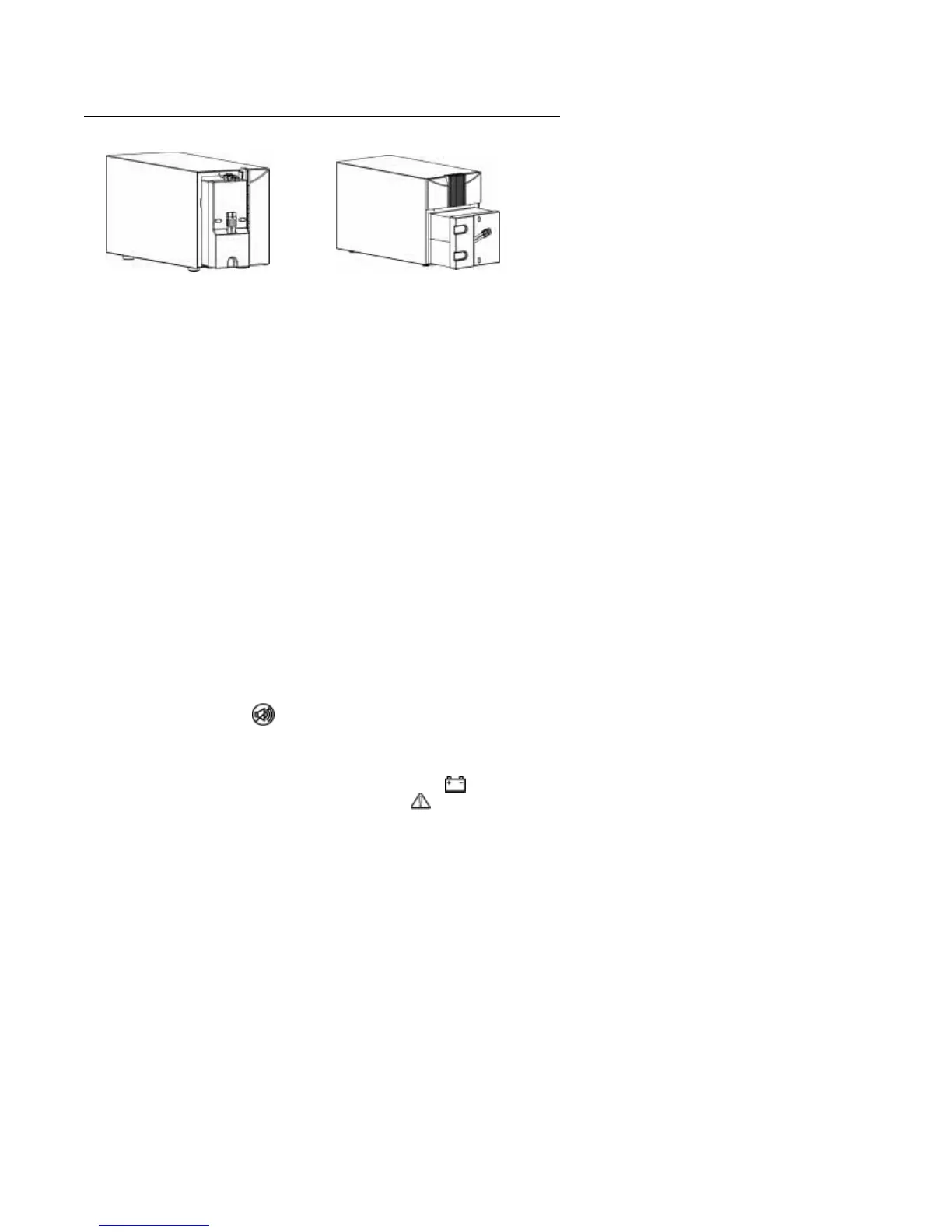
fig. 11: Removing the Battery
5. Slide the new battery into chamber.
6. Connect the cable to the battery using the keyed
wire connector.
NOTE:The ONePlus battery wire connectors are
keyed to assure proper installation and that the
correct battery is used with the UPS.
7. Replace metal battery retention plate and lock
into place with the coin slot screw.
8. Carefully snap plastic bezel into the closed
position.
9. Dispose of the old battery pack according to
current environmental regulations. See Battery
Disposal, below, if you would like ONEAC to
dispose of depleted battery.
Testing New
Batteries
NOTE:Once new batteries are installed it is
recommended that the batteries charge 6 - 24 hours
prior to testing.
To test the batteries, press and hold the sound button,
, for five seconds. The self-test will initiate,
distributing the load to the batteries and testing their
performance.Once this 15-second self-test is
complete, the UPS will go to Normal mode, If there
is trouble with the batteries, the (battery)
indicator will flash and the (fault) indicator will
be illuminated.
First check the battery connections and be sure the
battery is fully charged. If the problem continues,
ONePlus 250 & 400 VA models ONePlus 600 & 1000 VA models


 To Next Page