Setup and Installation
ONePlus UPS User Instruction Manual 17
Battery and Low Battery signals to the host
computer. The interface ports will also accept a
shutdown inverter signal to conserve battery life.
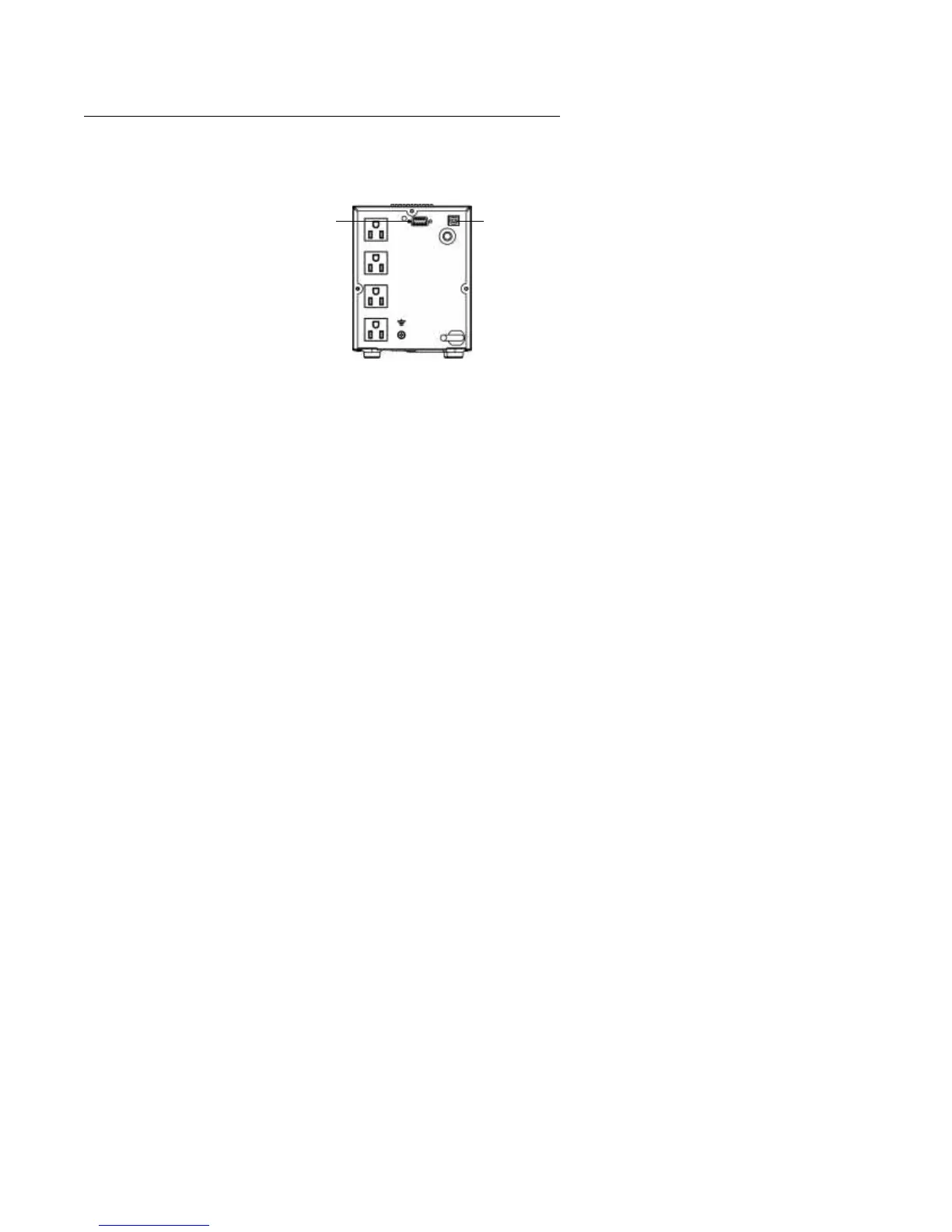
fig. 8: ONePlus Communications Ports
Installing MopUPS Express
To establish communications between the UPS and a
computer:
1. Connect the computer to the UPS
communications port using the supplied USB
communications cable.
NOTE:
If a serial connection is required, contact the
factory to purchase optional serial cable (ONEAC
part number CA-2B10S-03).
NOTE:
RS232 and USB communications ports
cannot be used simultaneously.
2. Insert the supplied software CD into the
computer’s CD-ROM drive.
3. Once the CD is inserted into the drive, an
installation wizard will appear. Follow the
installation instruction from the wizard.
Once MopUPS Express is installed and launched,
the User Manual can be accessed by clicking on the
Help button. If further assistance is needed, contact
ONEAC Technical Service at 800-327-8801, option
3 or email: ts@oneac.com.
Serial Port USB Port


 To Next Page