EasyManua.ls Logo

Onkyo FR-X7A - User Manual

Onkyo FR-X7A
72 pages
Print Icon
To Next Page IconTo Next Page
Loading...
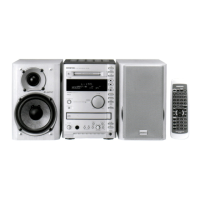
CD/MD TUNER AMPLIFIER
FR-X7A
SPEAKER SYSTEM
D-SX7A
Instruction Manual
Thank you for purchasing the Onkyo CD/MD TUNER
AMPLIFIER.
Please read this manual thoroughly before making
connections and turning on the power.
Following the instructions in this manual will enable
you to obtain optimum performance and listening
pleasure from your new CD/MD TUNER
AMPLIFIER.
Please retain this manual for future reference.
Contents 2
Introduction 3
Connections 12
Setting the Clock 19
Playing a Disc 20
Recording 29
Settings for Recording 37
MD Group Function 44
Naming 52
Preset Channels 50
Editing Tracks 55
Timer Function 60
Troubleshooting 68
Miscellaneous 71
E
n

Table of Contents

Questions and Answers

  • B
    bensonbruceAug 17, 2025
    How to fix no sound on my Onkyo FR-X7A?
    • H
      Heather HermanAug 17, 2025
      First, ensure the power cable of your Onkyo Amplifier is correctly plugged into an AC outlet. Then, verify that your speakers are properly connected, ensuring the speaker cable wires only touch the speaker connectors. Also, check that the volume isn't set to the minimum. If the MUTING indicator is flashing, disable the muting function. Lastly, remember that when headphones are connected, the speakers will not output sound, so disconnect the headphones if necessary.
  • R
    Rick RodriguezAug 20, 2025
    Why does my Onkyo Amplifier sound bad?
    • C
      Cory OwensAug 20, 2025
      Ensure the speaker cords of your Onkyo Amplifier are correctly connected, paying attention to their polarity (+/–). Also, firmly connect the RCA/phono audio cables. Keep in mind that strong magnetic fields can affect sound quality, so keep the unit away from such devices.
  • W
    Walter BuckleyAug 22, 2025
    How to turn on my Onkyo FR-X7A?
    • T
      Timothy HernandezAug 22, 2025
      First, ensure that the power cable of your Onkyo Amplifier is securely plugged into the AC outlet. If it is, try unplugging the power cable from the outlet, waiting at least five seconds, and then plugging it back in.
  • T
    Taylor FryeAug 26, 2025
    Why is my Onkyo FR-X7A remote not working?
    • S
      Scott LopezAug 26, 2025
      First, ensure the batteries in your Onkyo Amplifier remote are installed with the correct polarity (+/–). If they are, try replacing both batteries with new ones, avoiding mixing different types or new and old batteries. Also, make sure that the distance between the remote and the unit isn't too great, and there are no obstructions between them. The remote control sensor on the unit may be affected by bright light (like sunlight or inverter fluorescent light) or tinted windows of an audio rack.
  • P
    pjohnsonAug 28, 2025
    How to reduce noise in Onkyo FR-X7A broadcast?
    • J
      Jesse LeeAug 28, 2025
      Try changing the location of the antenna for your Onkyo Amplifier. Also, locate the unit further from the TV or a computer. Keep in mind that cars or airplanes can cause interference. If a concrete wall obstructs the signal path, the radio signal may be weak. Try setting FM mode to Monaural. Note that noise may occur when using the remote controller during AM reception. If reception doesn't improve, consider installing an outdoor antenna.
  • C
    Caitlyn HendersonAug 30, 2025
    What to do if my Onkyo FR-X7A disc will not play?
    • X
      xhollowayAug 31, 2025
      Ensure the disc is loaded correctly in the disc tray of your Onkyo Amplifier, with the playback side facing down. Check the disc's surface for dirt. If a blank MD is loaded, replace it with a recorded one. If you suspect condensation, wait about an hour after turning on the unit before playing the disc.
  • M
    Mr. Benjamin Huffman DVMSep 2, 2025
    Why can't I dub on my Onkyo FR-X7A?
    • A
      Amy GreenSep 2, 2025
      If you can't dub, make sure you are using a recordable MD with your Onkyo Amplifier. The current MD might be for playback only. Check if the MD is write-protected; see Precautions for handling a MiniDisc (MD) on page 7. Also, ensure the MD has available space for recording; if not, use a new MD. Eject the MD, reinsert it, and try recording again.
  • B
    Brad MeyerSep 5, 2025
    Why can't I edit the MD on my Onkyo FR-X7A Amplifier?
    • D
      Daniel PerrySep 5, 2025
      To edit the MD, use a recordable MD and cancel the record protection on the disc. Note that you cannot edit tracks in Memory, Random, 1GR, or 1TR Play mode. You also cannot combine a digital track and an analog track, or tracks recorded in different Recording modes (such as LP2 and LP4).
  • G
    Gina FordSep 8, 2025
    Why can't I name a disc or tracks on my Onkyo Amplifier?
    • J
      Jennifer ChavezSep 8, 2025
      To name a disc or tracks, use a recordable MD and cancel the record protection on the disc. Note that you cannot name a disc or tracks in Memory, Random, 1GR, or 1TR Play mode.
  • R
    Robert MooreSep 12, 2025
    Why can't I perform CD dubbing on my Onkyo FR-X7A Amplifier?
    • P
      paige60Sep 12, 2025
      If you cannot perform CD dubbing on your Onkyo Amplifier, wait a while and retry CD dubbing, as the MD recorder’s mechanism might still be moving. Also, CD dubbing is not possible if the CD section is in Random Play mode.

Summary

Product Overview and Features

Main Features of the FR-X7 A

Details the primary functions and technologies of the CD/MD Tuner Amplifier.

Safety and Handling Precautions

Important Safety Instructions

Crucial guidelines to prevent fire, electric shock, and ensure safe operation.

General Precautions

Covers AC fuse, power handling, unit placement, and care.

Connections and Setup

Speaker Connections and Placement

Details on connecting speakers and optimal placement for sound quality.

Connecting External AV Components

Instructions for connecting subwoofers, tape decks, CD recorders, and DVD players.

Clock and Playback Functions

Playing a CD

Instructions for inserting, playing, pausing, and stopping CDs.

Playing an MD

Instructions for inserting, playing, pausing, and stopping MiniDiscs (MDs).

Radio Tuning and Recording

Recording Types Overview

Explains different methods for recording audio to MD.

Recording Procedures

CD to MD Dubbing

Detailed steps for dubbing CD content to an MD.

Double-Speed CD to MD Dubbing

Instructions for faster CD to MD dubbing, including limitations.

Recording Settings and Adjustments

Adjusting Recording Level

Procedure for optimizing audio input levels for recording.

MD Track Editing Functions

Erasing Tracks and Groups

How to erase specific tracks within a group or all tracks on an MD.

Dividing and Editing Tracks

Basic track editing: Erase, Move, Divide, Combine functions.

Timer Functions

Timer Function Overview

Explains the Sleep, Once, and Every timer functions.

Programming Broadcast Timers

Steps for setting timers for AM/FM broadcast recording or playback.

Troubleshooting Guide

Power and Audio Issues

Resolving problems related to power, sound output, and audio quality.

CD;MD and FM;AM Reception Issues

Troubleshooting disc playback errors and radio reception problems.

Component Connection and Timer Issues

Addressing problems with remote control, component links, and timer functions.

Recording and Playback Errors

Resolving issues with dubbing, synchro recording, and power interruptions.

Technical Specifications

FR-X7 A Amplifier and Tuner Specifications

Detailed technical data for the FR-X7A unit's amplifier and tuner sections.

Onkyo FR-X7A Specifications

General IconGeneral
BrandOnkyo
ModelFR-X7A
CategoryAmplifier
LanguageEnglish

Related product manuals