SelectingListeningModes
Selecttheoptimumlisteningmodeformovies,TV,music,andgamesby
repeatedlypressingtheMOVIE/TV,MUSIC,GAMEandTHXbuttons.
1. Duringplay,pressoneofthefollowingfourbuttonsontheremotecontroller.
2. Presstheselectedbuttonrepeatedlytoswitchthemodesdisplayedonthe
displayoftheunit.
Fordetailsontheeffectsofeachofthelisteningmodessee"ListeningMode
Effects".Forlisteningmodesselectableforeachoftheaudioformatsintheinput
signals,referto"SelectableListeningModes".
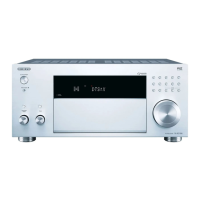
WhenyoupressPUREAUDIOonthefrontoftheunit,thedisplayandanalog
videocircuitsareturnedoff,andtheunitswitchestothePureAudiolistening
modetoprovidepurersound.SelectingthismodelightsthePUREAUDIO
indicatorontheunit.Pressingthebuttonagainreselectsthepreviouslistening
mode.
SelectingthePureAudiolisteningmodeturnsofftheanalogvideocircuitry,so
thevideosignalsinputthroughthejacksotherthantheHDMIinputjackcannot



 To Next Page
 Loading...