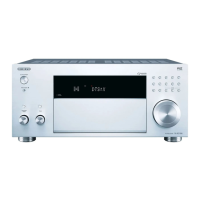
USBStorageDevice
PlayingBack
PlaymusicfilesonaUSBstoragedevice.
1. SwitchtheinputontheTVtothatassignedtotheunit.
2. PlugyourUSBstoragedevicewiththemusicfilesintotheUSBportofthisunit.
3. PressNETontheremotecontrollertodisplaythenetworkservicelistscreen.
4. Withthecursorsontheremotecontroller,select"USB",andthenpress
ENTER.
Ifthe"USB"indicatorflashesonthedisplay,checkwhethertheUSB
storagedeviceispluggedinproperly.
DonotunplugtheUSBstoragedevicewhile"Connecting..."isappearedon
thedisplay.Thismaycausedatacorruptionormalfunction.
5. PressENTERontheremotecontrolleragaininthenextscreen.Thelistof
foldersandmusicfilesontheUSBstoragedevicearedisplayed.Selectthe
folderwiththecursorsandpressENTERtoconfirmyourselection.
6. Withthecursorsontheremotecontroller,selectthemusicfile,andthenpress
ENTERtostartplayback.
TheUSBportofthisunitconformswiththeUSB2.0standard.Thetransfer
speedmaybeinsufficientforsomecontentyouplay,whichmaycause
someinterruptioninsound.
Toreturntothepreviousscreen,press .
Operationswiththeremotecontroller:



 To Next Page
 Loading...