40
First Time Setup—Continued
Notes:
• When the automatic speaker setup is complete, the
Equalizer Settings (page 71) will be set to “Audyssey.”
• You can cancel the automatic speaker setup at any
point in this procedure simply by disconnecting the
setup microphone.
5
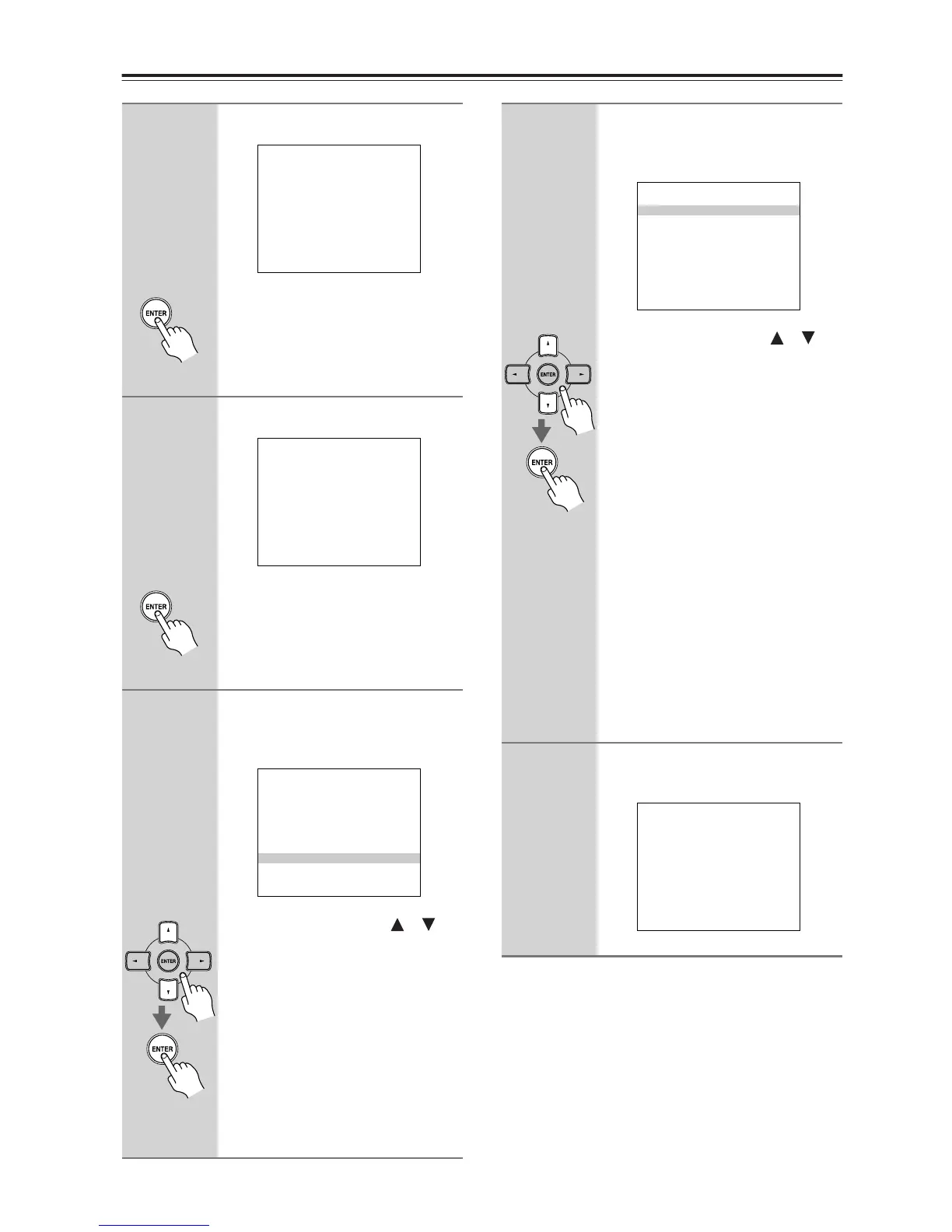
The following screen appears.
Move the speaker setup micro-
phone to measurement point
2
(page 38), then press [ENTER].
Audyssey2EQ performs more mea-
surements. This takes a few minutes.
6
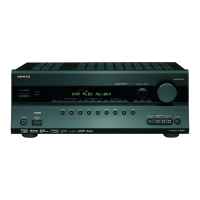
The following screen appears.
Move the speaker setup micro-
phone to measurement point
3
(page 38), then press [ENTER].
Audyssey2EQ performs more mea-
surements. This takes a few minutes.
7
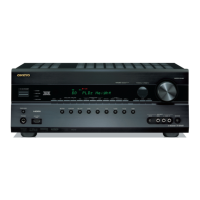
When the measurements are
complete, the following screen
appears.
Use the Up and Down [ ]/[ ]
buttons to select an option, and
then press [ENTER].
The options are:
Next (Calculate):
Calculate the results, which takes a
few minutes, and then proceed to
the next step.
Retry:
Return to step 2 and try again.
Cancel:
Cancel the automatic speaker setup.
Auto Speaker Setup
========================
Please place microphone
at right end of
listening area at ear
height.
Push Enter:Next
Auto Speaker Setup
========================
Please place microphone
at left end of listening
area at ear height.
Push Enter:Next
Auto Speaker Setup
========================
Measuring finished.
Next[Calculate]
Retry
Cancel
8
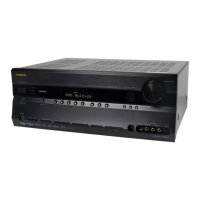
When the calculations are com-
plete, the following screen
appears.
Use the Up and Down [ ]/[ ]
buttons to select an option, and
then press [ENTER].
The options are:
Save:
Save the calculated settings and exit
the automatic speaker setup.
Review SP Config:
Review the speaker configuration
settings (see “Reviewing the
Results” on page 41).
Review SP Distance:
Review the speaker distance set-
tings (see “Reviewing the Results”
on page 41).
Review SP Level:
Review the speaker level settings
(see “Reviewing the Results” on
page 41).
Cancel:
Cancel the automatic speaker setup.
9
Disconnect the speaker setup
microphone.
Auto Speaker Setup
========================
Save
Review SP Config
Review SP Distance
Review SP Level
Cancel
Auto Speaker Setup
========================
Please,unplug Setup Mic.


 To Next Page