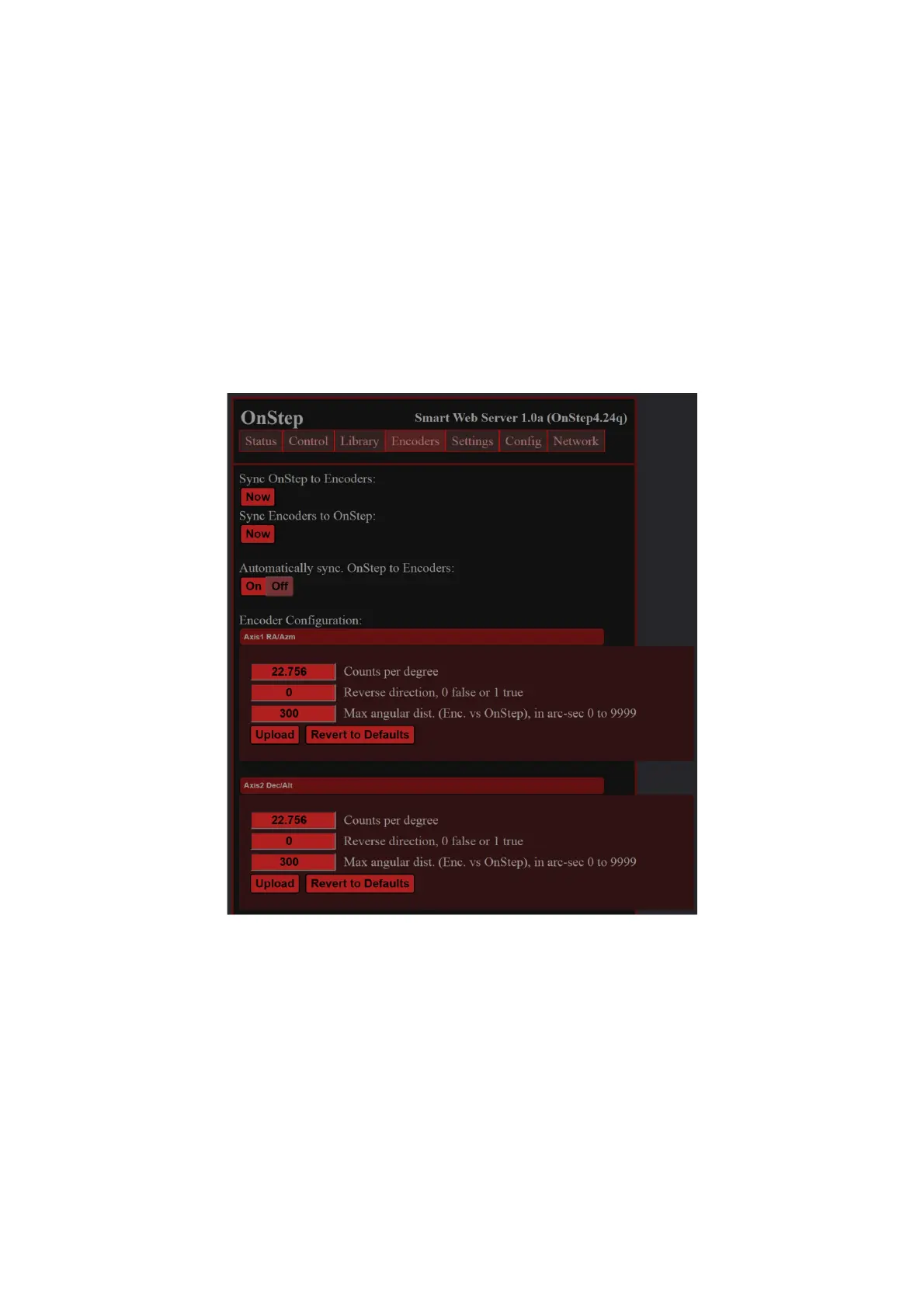
“Sync OnStep to Encoder”
“Sync Encoder to OnStep”
Alternatively, click the “On” button to enable “Automatically sync. OnStep to
Encoders” when a predefined difference between encoder ticks and motor steps is
exceeded. Note that “On” is highlighted when Auto sync is Off!
To modify the encoder configuration, click on the “Axis1 RA/Az” and “Axis 2
Dec/Alt” buttons. Within this section, you can adjust the predefined encoders and
motor difference thresholds mentioned previously. However, ensure not to alter the
“Counts per degree,” which is preset to 22.756 ticks/deg for the provided 8192 PPR
encoders. You may need to toggle the “Reverse direction” option if you have mounted
the encoders differently, as indicated in the installation manual.
24


 To Next Page