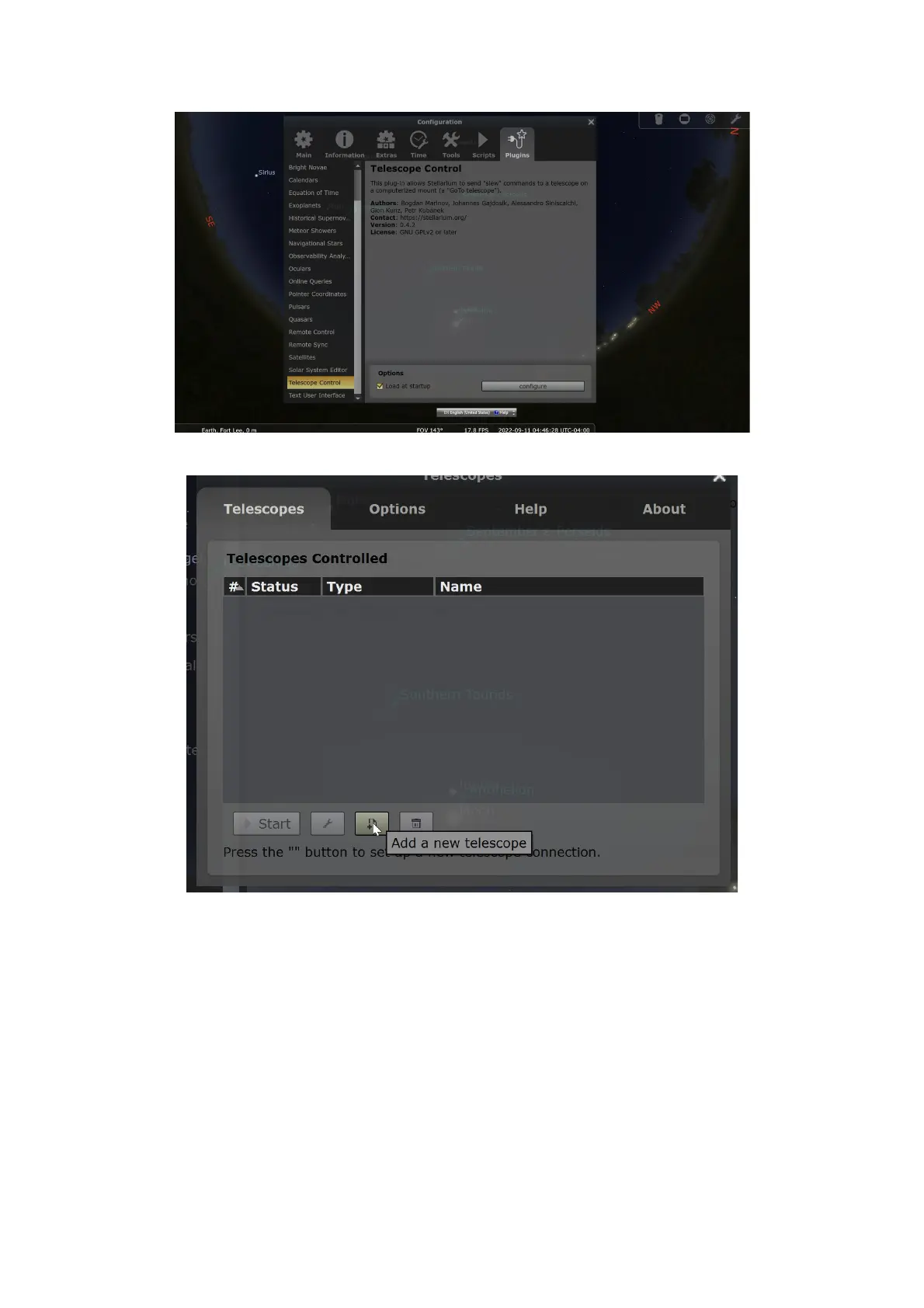
Telescope Configuration:
o Click on “Configure”.
o In the pop-up window, click “Add”.
o Select “Stellarium, directly through a serial port” and configure the
additional settings below:
Name: Assign a recognizable name to your telescope setup.
Device Model: Choose "Meade LX200 (compatible)" as the
protocol.
Serial Port: This is where you select one of the COM ports
identified in Step 2. If you're uncertain which one is correct,
you may need to try both options.
41


 To Next Page