4.1EnteringWaypoints
PLOTTER
[ENT]
Waypoints can be entered on the display in three ways: by cursor
position, at own ship's position, and from the waypoint edit.
1. Use the cursor pad to place the cursor on the location desired for a waypoint.
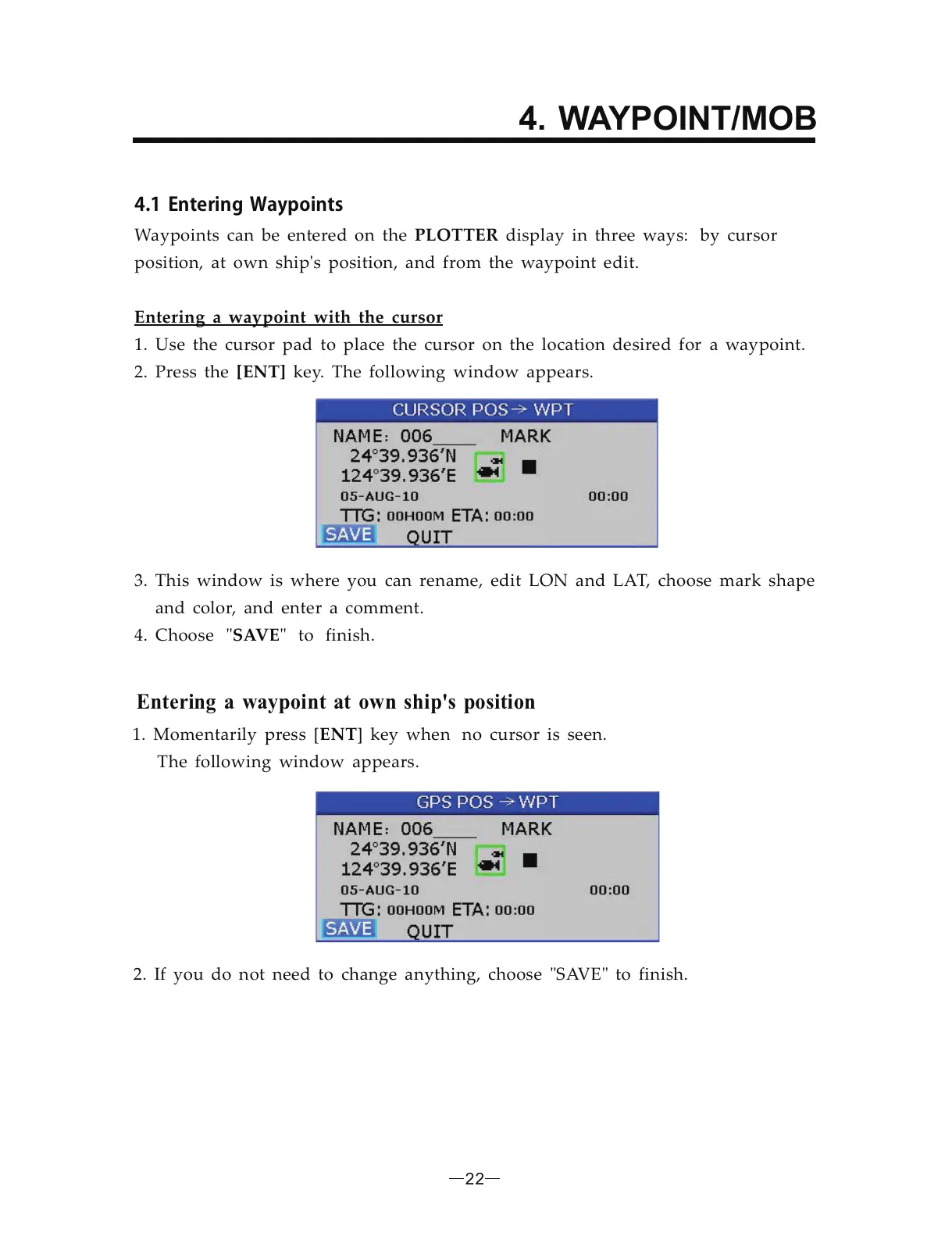
2. Press the key. The following window appears.
Entering a waypoint with the cursor
3. This window is where you can rename, edit LON and LAT, choose mark shape
and color, and enter a comment.
4. Choose to finish.SAVE" "
Entering a waypoint at own ship s position'
1. Momentarily press [ ] key when no cursor is seen.
The following window appears.
ENT
2. If you do not need to change anything, choose SAVE to finish." "
22
4. WAYPOINT/MOB


 To Next Page