11.1Sonarmode
[MENU] SOUNDER
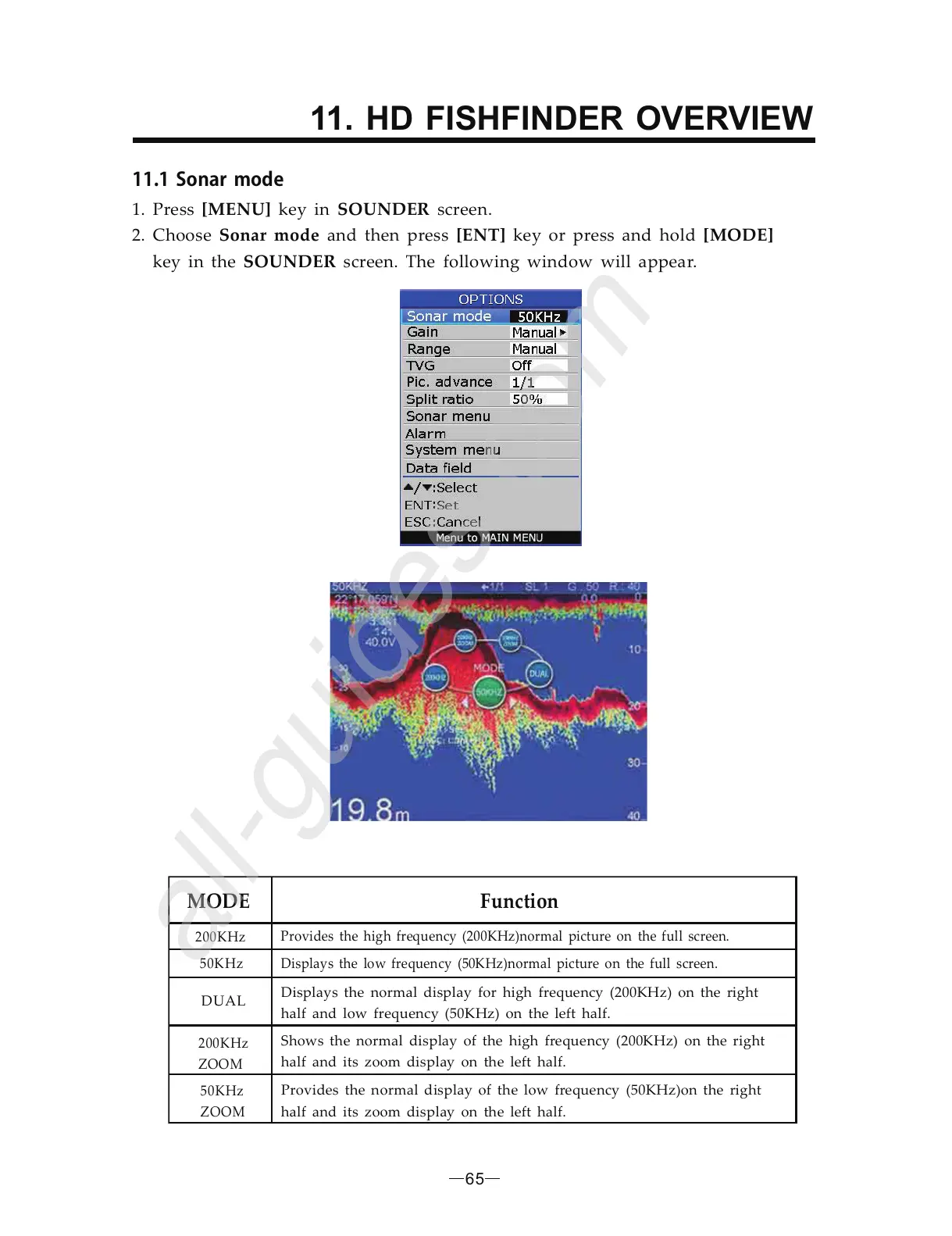
Sonar mode [ENT] [MODE]
SOUNDER
1. Press key in screen.
2. Choose and then press key or press and hold
key in the screen. The following window will appear.
MODE
Function
200KHz
Provides the high frequency (200KHz)normal picture on the full screen.
50KHz Displays the low frequency (50KHz)normal picture on the full screen.
200KHz
ZOOM
50KHz
ZOOM
Displays the normal display for high frequency (200KHz) on the right
half and low frequency (50KHz) on the left half.
DUAL
Provides the normal display of the low frequency (50KHz)on the right
half and its zoom display on the left half.
Shows the normal display of the high frequency (200KHz) on the right
half and its zoom display on the left half.
65
11. HD FISHFINDER OVERVIEW


 To Next Page