59
9.11NMEAdatadisplay
1. Press [ ] key twice to enter main menu.MENU
2. Choose and then press [ ] key to select.Setup
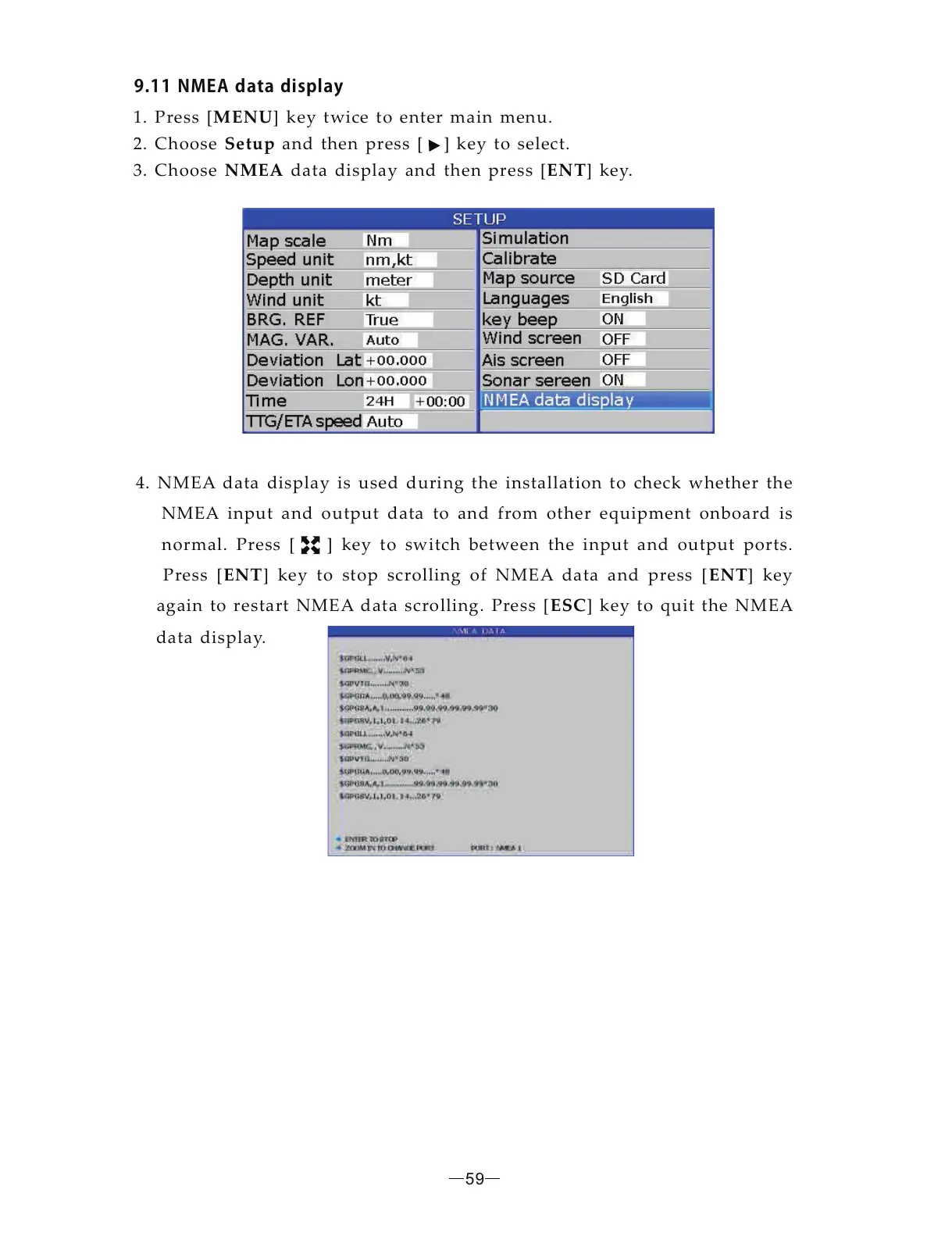
3. Choose data display and then press [ ] key.NMEA ENT
4. NMEA data display is used during the installation to check whether the
NMEA input and output data to and from other equipment onboard is
normal. Press [ ] key to switch between the input and output ports.
Press [ ] key to stop scrolling of NMEA data and press [ ] key
again to restart NMEA data scrolling. Press [ ] key to quit the NMEA
ENT ENT
ESC
data display.


 To Next Page