9.10.2Datumsetting
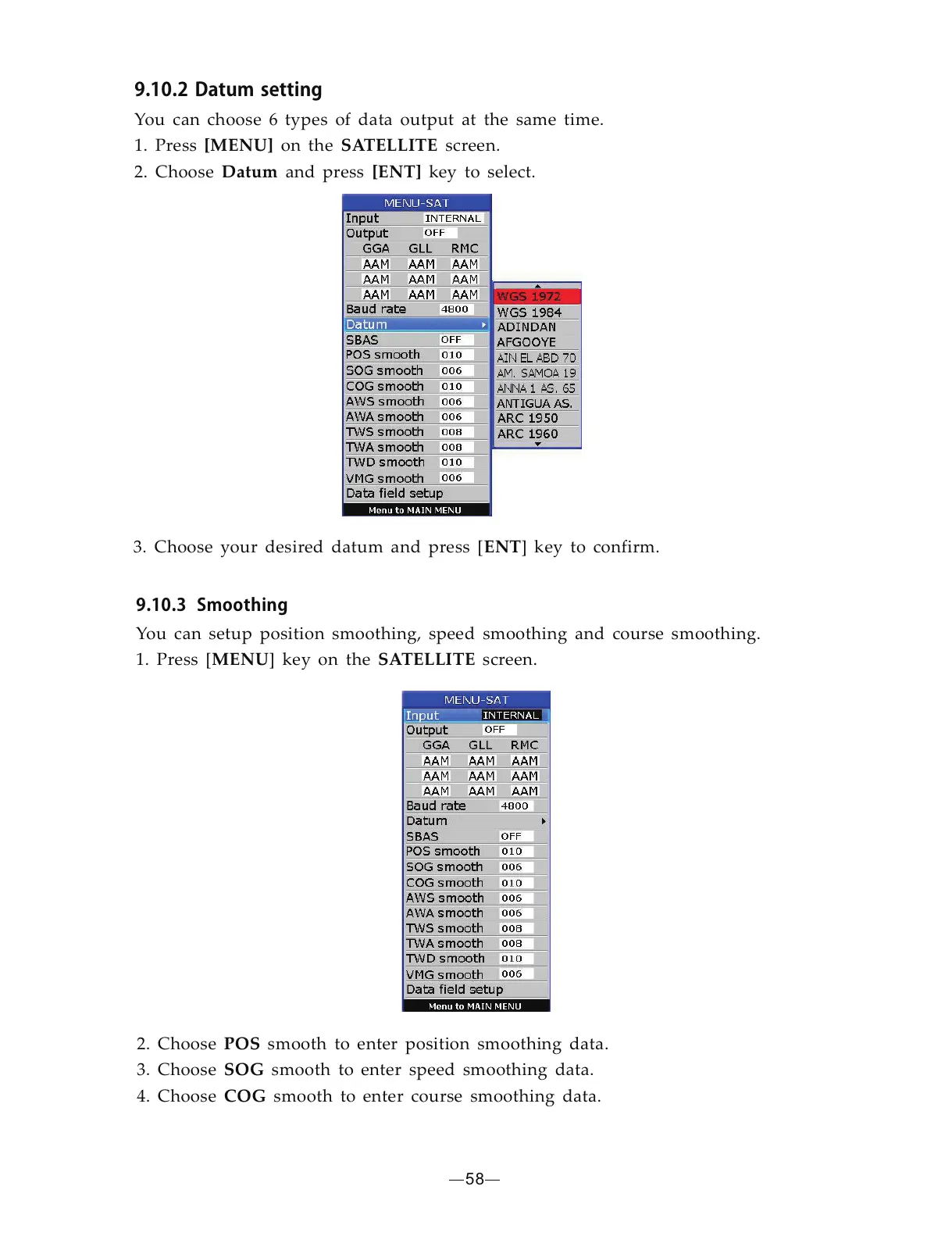
You can choose 6 types of data output at the same time.
1. Press on the
2. Choose and press key to select.
[MENU]
Datum [ENT]
SATELLITE screen.
3. Choose your desired datum and press [ ] key to confirm.ENT
58
2. Choose smooth to enter position smoothing data.
3. Choose smooth to enter speed smoothing data.
4. Choose smooth to enter course smoothing data.
POS
SOG
COG
9.10.3Smoothing
You can setup position smoothing, speed smoothing and course smoothing.
1. Press [ ] key MENU on the screen.SATELLITE


 To Next Page