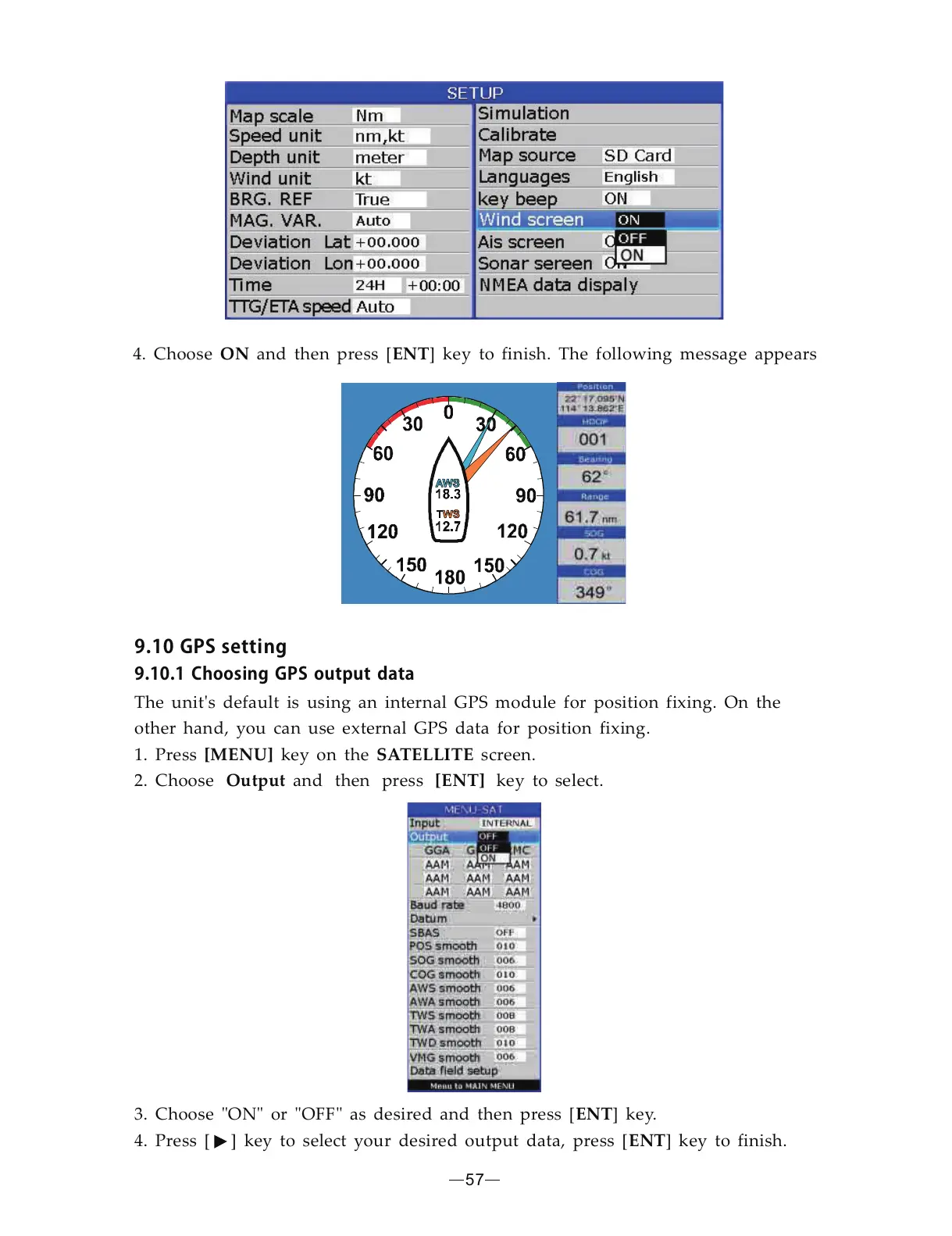
4. Choose and then press [ ] key to finish. The following message appearsENTON
57
9.10GPSsetting
9.10.1ChoosingGPSoutputdata
[MENU] SATELLITE
The unit s default is using an internal GPS module for position fixing. On the
other hand, you can use external GPS data for position fixing.
1. Press key on the screen.
'
2. Choose and then press key to select.[ENT]Output
3. Choose ON or OFF as desired and then press [ ] key.
4. Press [ ] key to select your desired output data, press [ ] key to finish.
ENT
ENT
" " " "


 To Next Page