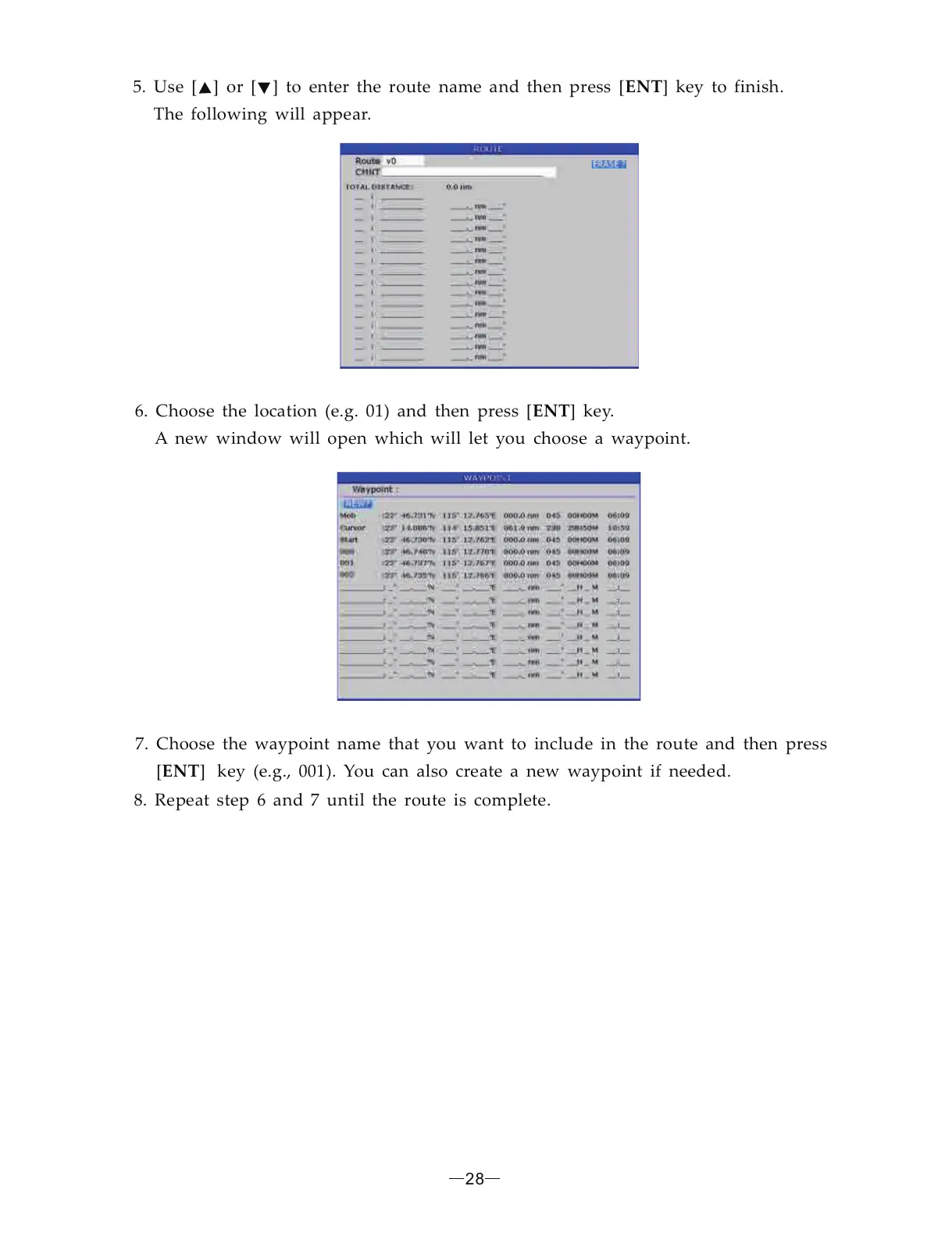
5. Use [ ] or [ ] to enter the route name and then press [ ] key to finish.
The following will appear.
ENT
6. Choose the location (e.g. 01) and then press [ ] key.
A new window will open which will let you choose a waypoint.
ENT
7. Choose the waypoint name that you want to include in the route and then press
[ ] key (e.g., 001). You can also create a new waypoint if needed.ENT
8. Repeat step 6 and 7 until the route is complete.
28


 To Next Page