Ooma Telo
®
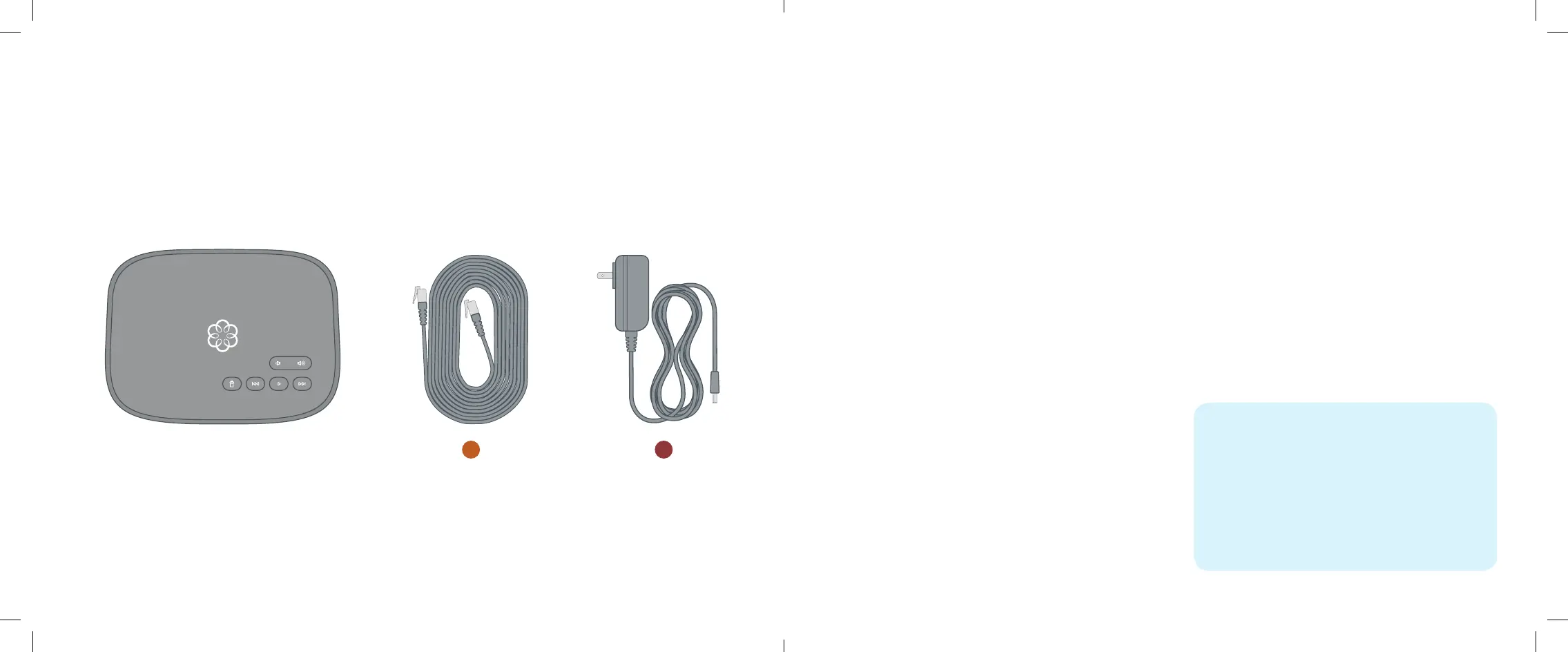
Air Package Contents
a
b
Ooma Telo Air
AC AdapterEthernet Cable
03 Introduction
04 Step 1: Get the Ooma Setup App
05 Step 2: Activate Your Account
06 Step 3: Connect Your Telo to the Internet
07 Step 4: Connect a Phone
08 Congratulations, You’re Done!
09 What’s Next?
10 Ooma Usage Guide
11 Ooma Premier
12 Quick Reference
14 Troubleshooting
15 Add-Ons for Ooma Telo
16 Alternative Wi-Fi Setup
17 Connecting Your Telo Using Ethernet
19 Fax and Home Wiring Setup Options
2 3
Table of Contents
Installing Ooma is easy!
In fact, most users are up and calling in less than 15 minutes.
This guide will walk you through the basics of setting up your
Ooma Telo Air. It will also introduce you to the basics of using
your Ooma service.
Have a Question or Need Assistance?
Here is where you can look for help:
Knowledge base: www.ooma.com/support
User manuals: www.ooma.com/userguide
Community forum: www.ooma.com/forums
Live Customer Care:
1-888-711-6662 (US)
1-866-929-6662 (Canada)
Ooma-Telo-Air-QSG_EN-FR 700-0192-100-Jan2018-R2.indd 2-3 1/31/18 2:36 PM



 To Next Page