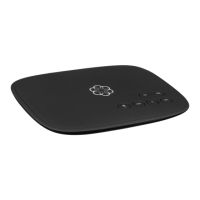
Your Telo is ready to be used once the Ooma
logo lights blue. Pick up the phone and listen for
the Ooma dialtone to conrm that your setup is
complete. If you connected a computer to complete
your Wi-Fi setup, you disconnect it now.
Place your rst phone call
Pick up the phone you connected to the Ooma Telo
and dial just like you always do. Call a friend or
family member and experience rsthand the quality
of Ooma PureVoice™ technology. While you are at it,
you might want to tell them about Ooma!
Set up your voicemail
Pick up the phone connected to the Ooma Telo and
press the key on the Telo.
The system will walk you through conguring your
account and recording a personal greeting.
Check out My Ooma
Access your online control panel at
my.ooma.com. you’ll unlock the capabilities
of your system:
• Check voicemail and call logs
• Congure preferences and set up
advanced features
• Update your 911 address
• Purchase additional services and add-ons
• And much more!
The rst time you log in, our Setup Wizard will
help congure our most popular features.
Congratulations, You’re Done!
If your Telo needs a software upgrade,
the Ooma logo will blink purple while it
is downloading the newest version.
This may take 5-10 minutes.
Do not unplug the Telo while it is upgrading. It will
automatically reboot after the upgrade is done.
8 9
Transfer your phone number
In most areas, you can port your existing number to Ooma for a one-time fee.
You must maintain your current phone service until the porting process is
completed, which usually takes about 1-3 weeks. To check availability, to
learn more, or to get started, please visit: my.ooma.com/port
Explore Ooma Premier™
Ooma Premier is a bundle of enhanced calling features that will get your
home phone service ring on all cylinders.
See the Ooma Premier section for an overview of our most popular features.
To learn more about all the features and benets included in Ooma Premier,
go to: my.ooma.com/premier
What’s Next?
Ooma-Telo-Air-QSG_EN-FR 700-0192-100-Jan2018-R2.indd 8-9 1/31/18 2:36 PM



 To Next Page