92 Instruments, controls
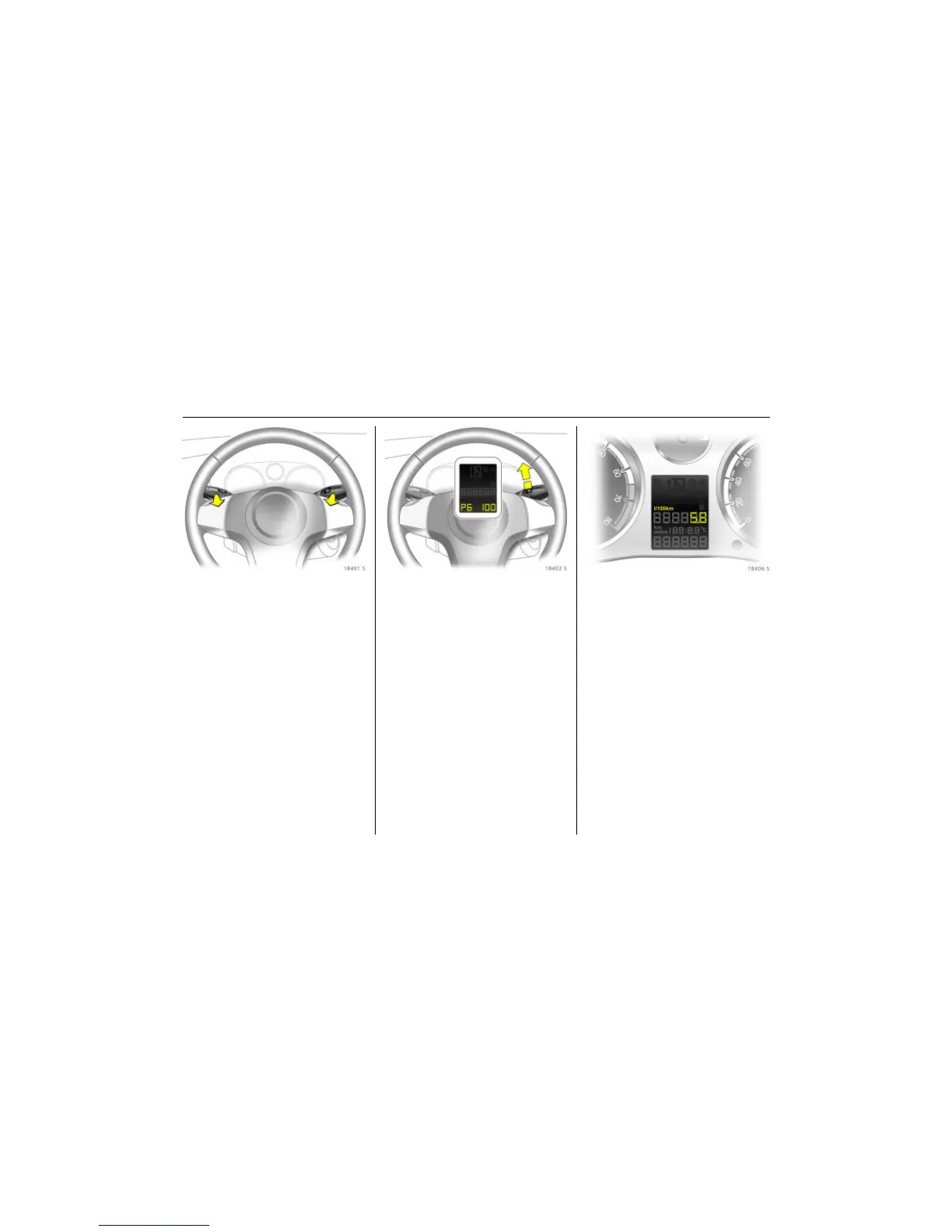
Picture no: 18401s.tif
Speed warning
With the "Personalised key" function, P6,
3 39, 3 41, a particular top speed can be
assigned to each vehicle key. When this
speed is exceeded, a warning buzzer
sounds.
This function is programmed in the
kilometre display:
z ignition off, key in ignition switch,
z pull turn signal stalk and wiper stalk
simultaneously to the steering wheel
until you hear a confirmation signal
(approx. 3 seconds),
z the kilometre display shows P1,
z push down the turn signal stalk (left) until
P6 appears,
Picture no: 18402s.tif
z push the wiper stalk (right) up until the
desired speed appears in increments
of 10,
z to reduce the speed or switch off (OFF),
push the wiper stalk down,
z pull turn signal stalk and wiper stalk
simultaneously to the steering wheel
until you hear a confirmation signal
(approx. 3 seconds).
This function can be programmed
differently for each vehicle key.
Personalised key 3 39, cruise control 3 160.
Picture no: 18406s.tif
Trip computer display in
instrument panel 3
The trip computer provides information on
driving data, which is continually recorded
and evaluated electronically.
After switching on the ignition, the last
function displayed appears. To select a
different function, rotate the rotary switch
on the wiper stalk briefly up i or down
h and then let go. The functions will be
called one after the other.
To reset a value or confirm a warning
message, press the button 0 on the wiper
stalk.



 To Next Page