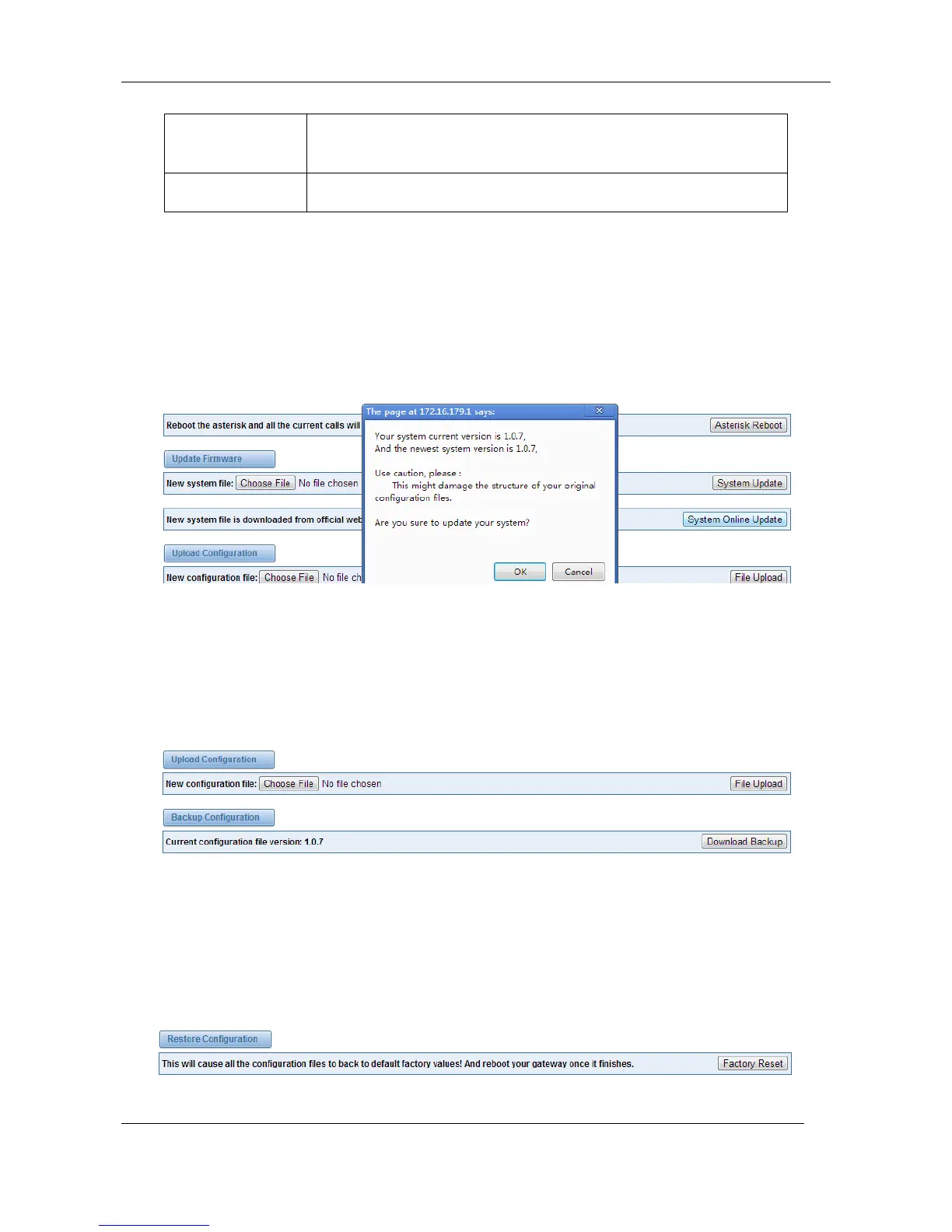
We offer 2 kinds of update types to you, so you can choose System Update or System Online
Update. System Online Update is an easier way to update your system, if you choose that, you will
see the information below.
Figure 2-5-2 Prompt Information
If you want to update your system and remain your previous configuration, you can first backup
configuration, then you can upload configuration directly. That will be very convenient for you.
Figure 2-5-3 Upload and Download
Sometimes there is something wrong with your gateway that you don’t know how to solve it,
mostly you will select factory reset. Then you just need to press a button, your gateway will be
reset to the factory status.
Figure 2-5-4 Factory Reset



 To Next Page