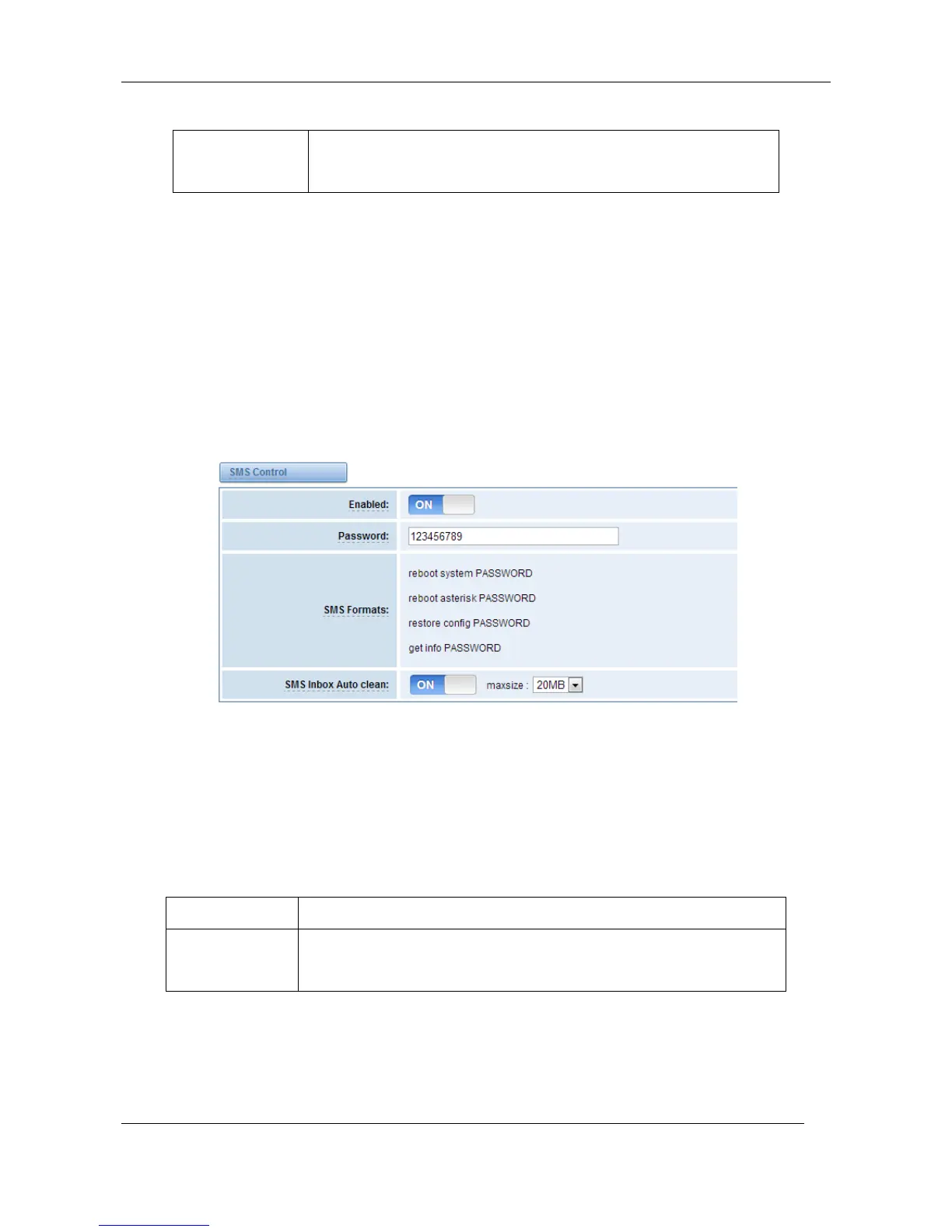
SMS Control
Allowing endpoints to send some specific KEY WORDS and corresponding PASSWORD to operate
the gateway and message is case-sensitive. In default, this function is disabled.
Figure 6-1-4 SMS Control
For example, SMS control password is 123456789 which has nothing to do with the login password,
you can send “get info 123456789” to the GSM module’s phone number to get your gateway’s IP
information.
Table 6-1-4 Definition of SMS Control
The password to confirm that SMS makes the gateway rebooted, shut
down, restored configuration files and get info on this gateway.



 To Next Page