22 Operating the System
DS2200 User Manual - OPEX Corporation use only - not for distribution
Connections
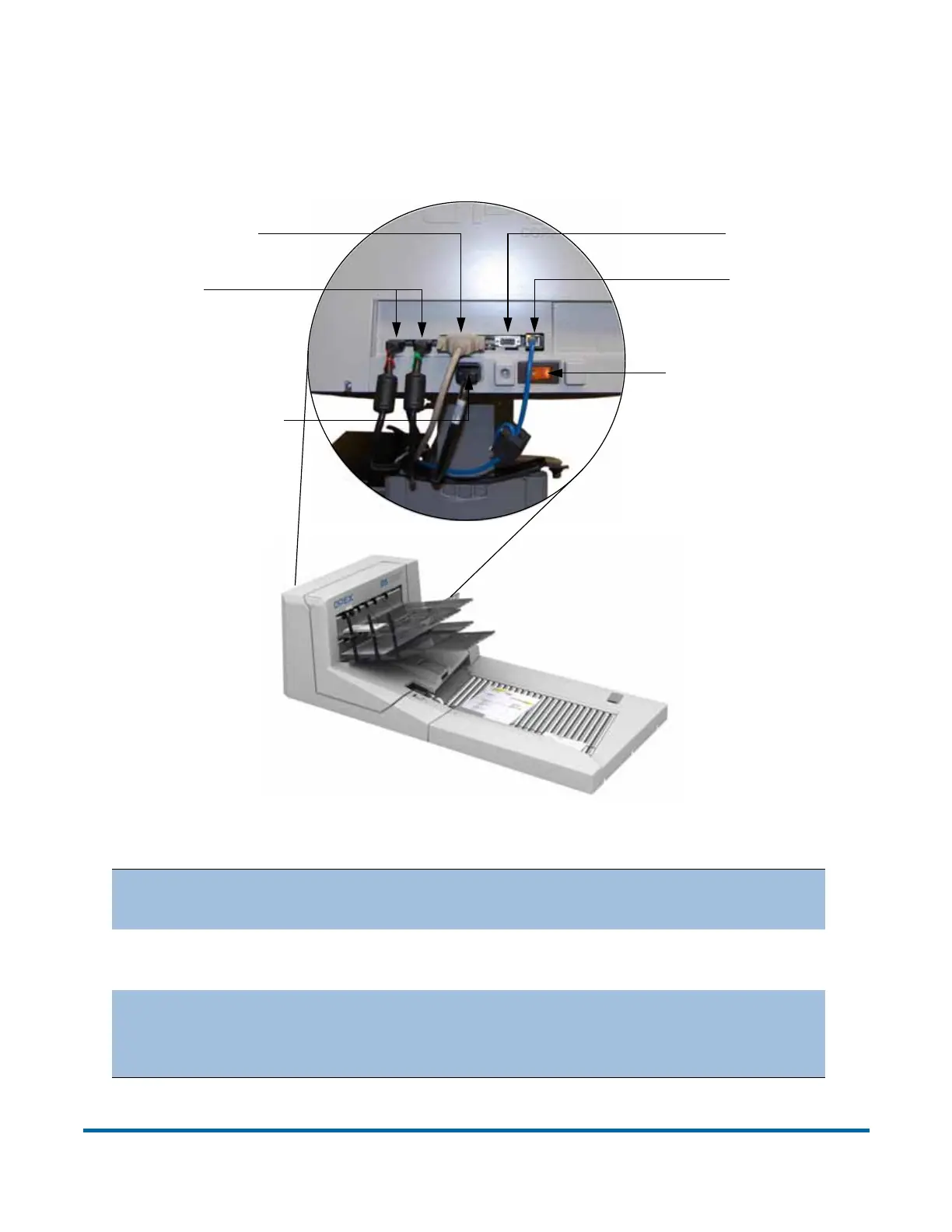
The DS2200 has several connectors and ports for connecting the scanner to
the CertainScan PC and other peripherals.
Figure 2: DS2200 back panel connections
COM (Ethernet)
The ethernet port is for OPEX technical support
use only.
HDMI
The HDMI ports transfer data from the imagers to
the Host PC.
Serial
9-pin connector used for transferring data one bit
at a time. This connector should only be used for
OPEX technical support.
HDMI
AC power plug
Parallel port
Serial port
Main power switch
COM port



 To Next Page