60 Operating the System
DS2200 User Manual - OPEX Corporation use only - not for distribution
Clearing Paper Jams
During normal operation of the machine, you may encounter an error message
halting the scanner. The prompt on the machine will offer you two options: to
CONTINUE or to CANCEL. The error message is informing you of a paper jam or
a sensor error. In this case, check the machine for paper jams as described
here. After you clear the jam or ensure that the track is clear, press the
CONTINUE button.
Note: The scanner may also reject documents that are misfed, skewed, or
because the document was not properly identified. In these cases, the
scanner will stop after all the paper in the track has been sent to the reject
bin. If the paper doesn’t clear into the reject bin after selecting CONTINUE,
then you need to open the cover(s) and remove the paper(s).
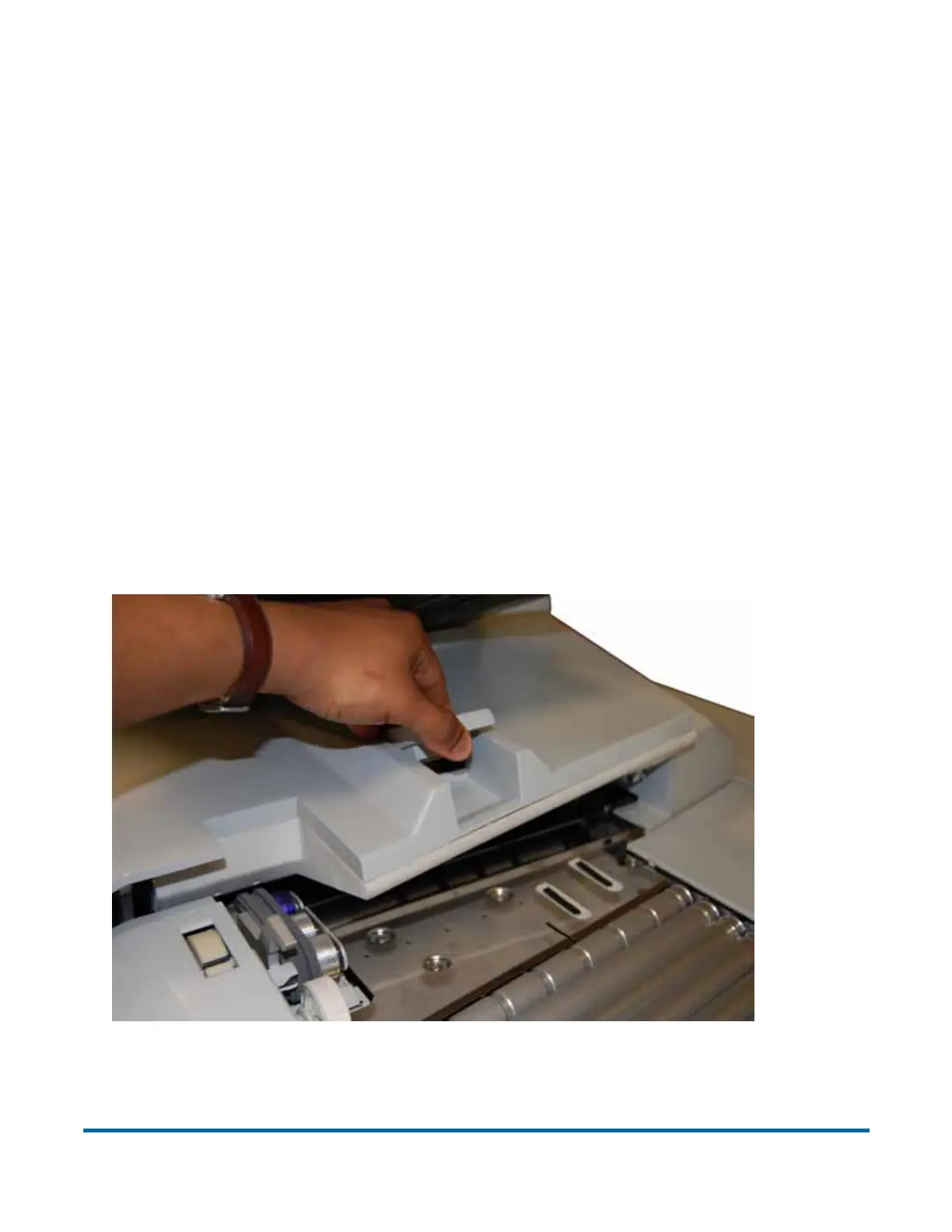
Scanner area
To open the scanner cover, lift the latch up. The cover will swing to the open
position. Remove any paper or debris caught in the scanner area.
To close the scanner cover, push the cover back down and press down on the
latch to secure the lid.



 To Next Page