52 Operation
Falcon+ Operator Manual
OPEX Corporation
4.2.5.7. Dual Image View
This is a split-screen mode in which you can view two images of a single piece
at a time. If the secondary thumbnail does not appear, follow the steps below:
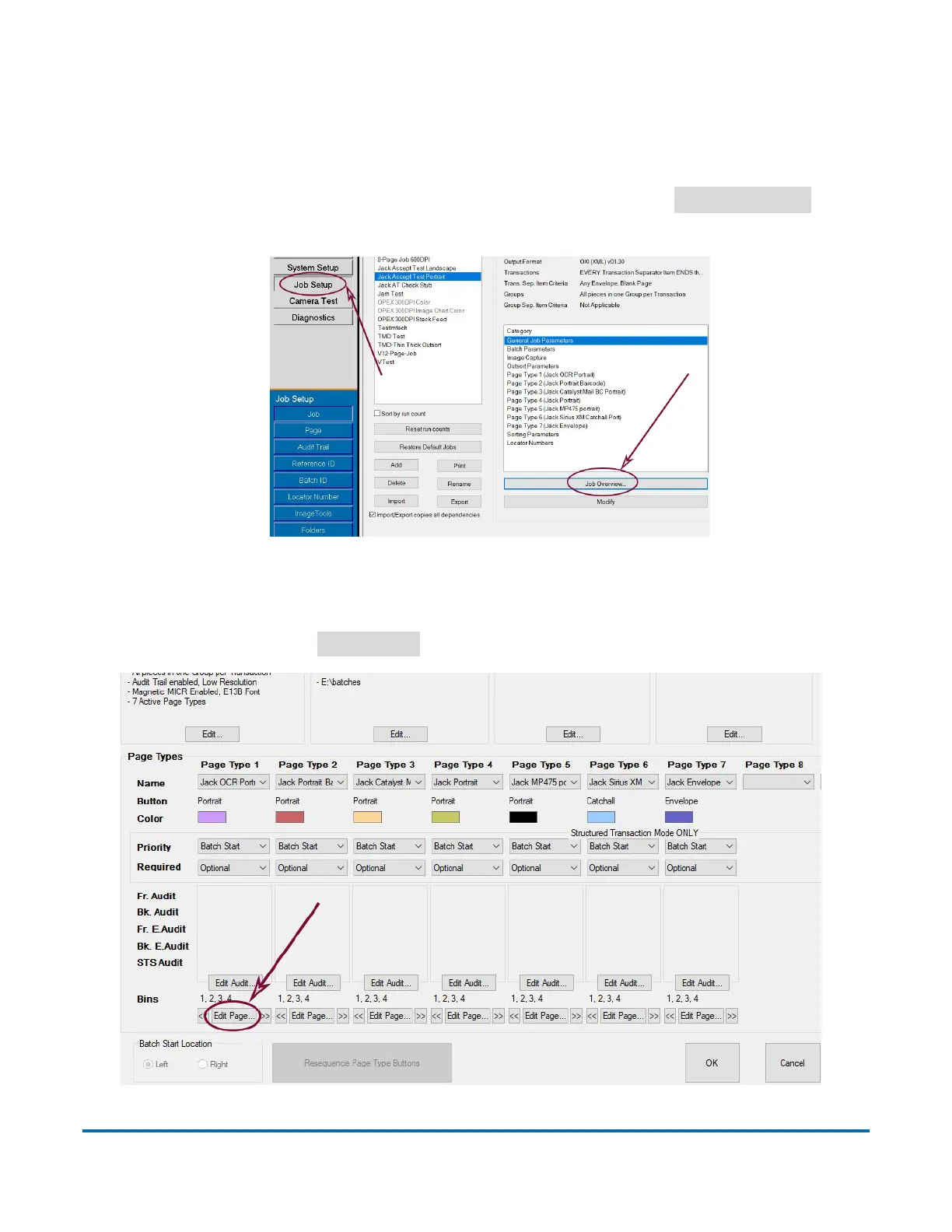
1. Navigate to Job Setup within the Main Screen, and select
Job Overview
as
illustrated in Figure 4-17.
Figure 4-17: Job Setup for Dual Image View
2. Navigate to the desired Page Type you would like to view in a split-screen
mode, and select
Edit Page
as illustrated in Figure 4-18.
Figure 4-18: Select Page Type



 To Next Page