58 Operation
Falcon+ Operator Manual
OPEX Corporation
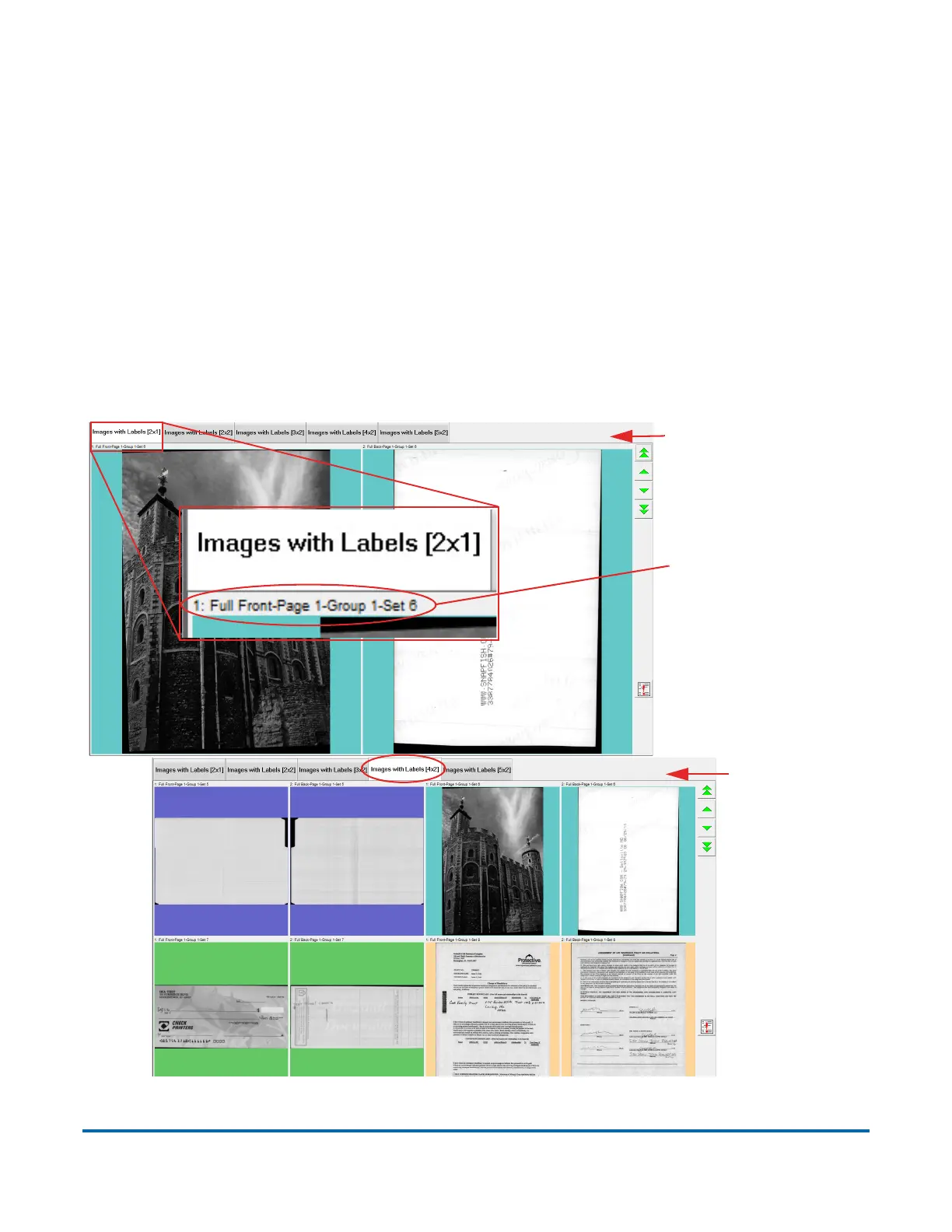
4.2.5.10. Images with Labels Views
These views show images arranged by column and row configurations:
• Images with Labels [2x1] - images are arranged in 2 columns and 1 row
• Images with Labels [2x2] - images are arranged in 2 columns and 2 rows
• Images with Labels [3x2] - images are arranged in 3 columns and 2 rows
• Images with Labels [4x2] - images are arranged in 4 columns and 2 rows
• Images with Labels [5x2] - images are arranged in 5 columns and 2 rows
In all of these views, a label in the upper left corner of each image shows
information about the image (see Figure 4-24).
Figure 4-24: Images with Labels View
Images with Labels
2x1 View
Label showing
image information
Images with
Labels
4x2 View



 To Next Page