66 Operation
Falcon+ Operator Manual
OPEX Corporation
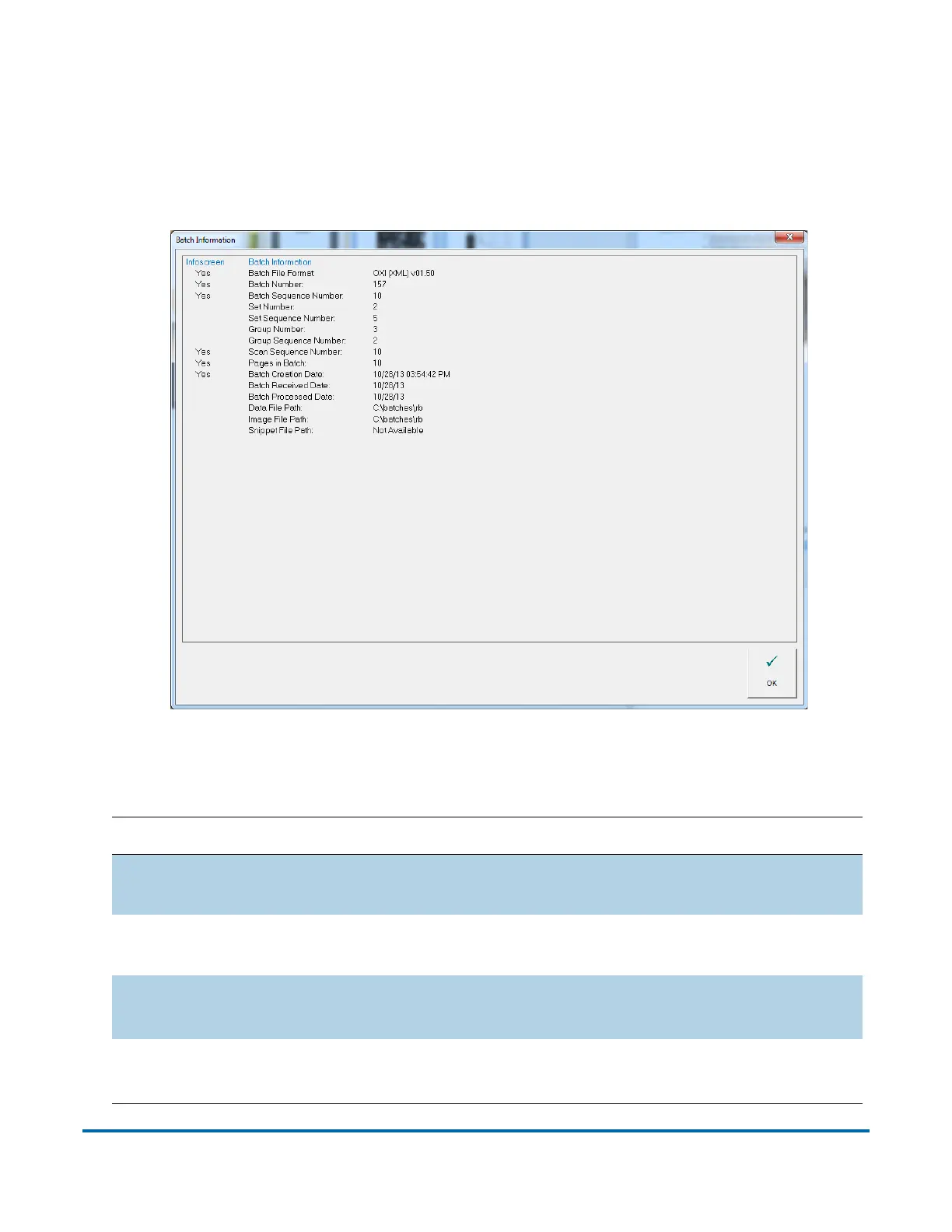
4.2.6.1. Batch Information Window
Includes data such as the set/transaction number, pages in the batch,
and the date and time the batch was created, received, and processed
(see Figure 4-29).
Figure 4-29: Batch Information Window
Table 4-4: Batch Information - Detailed View
Parameter Description
Batch File Format
{DAT, ODI, OXI, OII} set in batch parameters in job
setup.
Batch Number
Determined by plug-in, operator entry, batch ticket or
system. Batch parameters in job setup.
Batch Sequence
Number
0 for batch tickets, then the ordinal number of the
selected item in the batch.
Set/Transaction
Number
Number of sets/transactions, save the batch ticket set.



 To Next Page