92 Operation
Falcon+ Operator Manual
OPEX Corporation
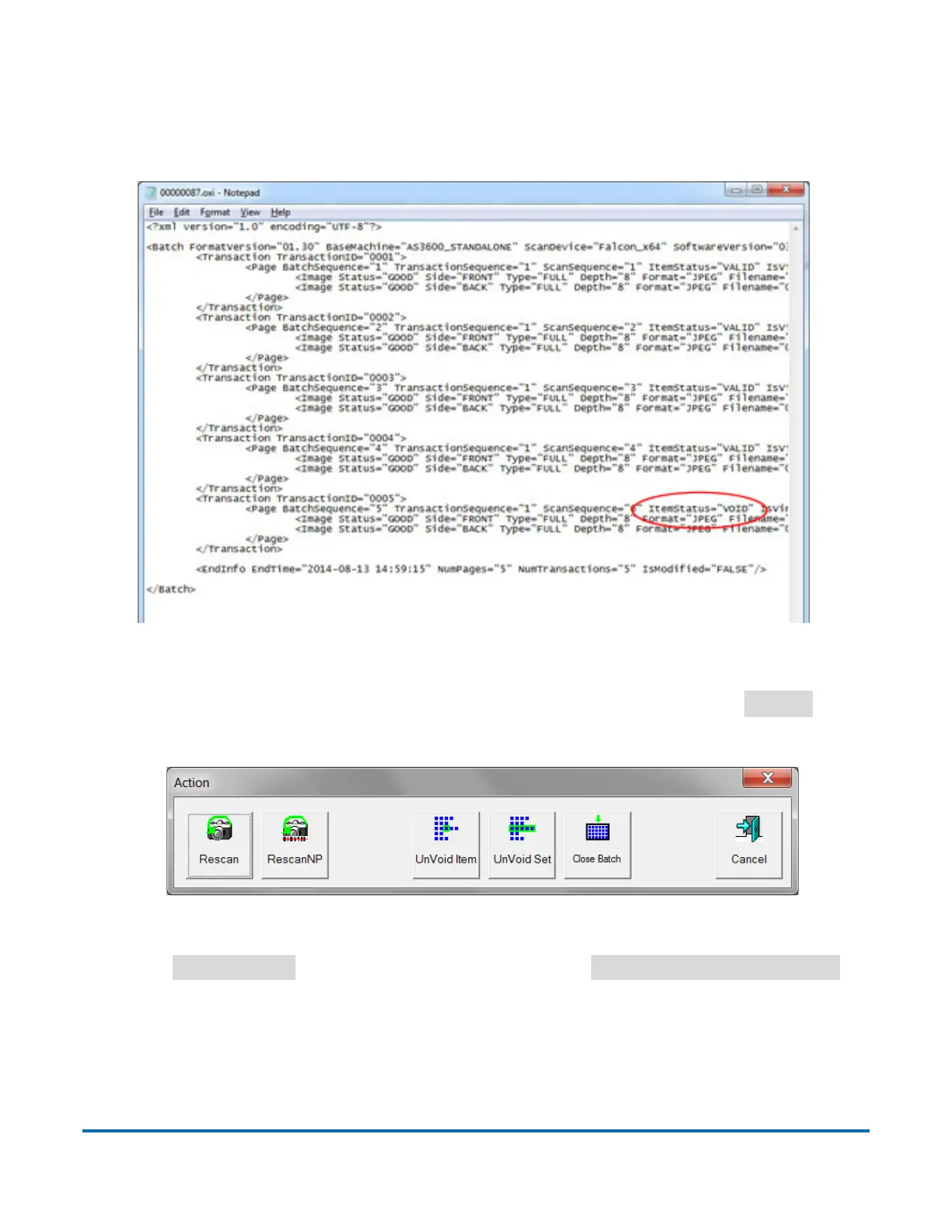
If the Allow Void Batch parameter is set to Yes without Marked Image, the VOID
stamp will not appear over the image on the run screen. However, the item will
be designated with a Void status in the output file (see Figure 4-51).
Figure 4-51: XML Batch Output File Example
To Unvoid an item, highlight the voided item’s thumbnail, and click
Action
. The
Action window will appear (see Figure 4-52).
Figure 4-52: Action Window
Press
UnVoid Item
to unvoid the selected item, or
UnVoid Set/Transaction
to
unvoid the selected item and all other items that are part of the set. The Cancel
button is used to close the Action window without performing any functions.



 To Next Page