112 Maintenance
Falcon+ Operator Manual
OPEX Corporation
5.2. Removing/Replacing the Printer Cartridge
The scanner’s imprinter and HP ink cartridge are accessible when the stacker
area is open. When you remove a cartridge, pay close attention to the position
and orientation of the cartridge so it can be replaced properly.
When you install a new printer cartridge, first check the expiration date of the
new cartridge you plan to use. The Falcon+ printer cartridges (in sealed
containers) have a shelf life of two years from the date of manufacture.
Accessing the Printers
1. Open the stacker door by disengaging the latch handle.
2. To access the back or front standard printer:
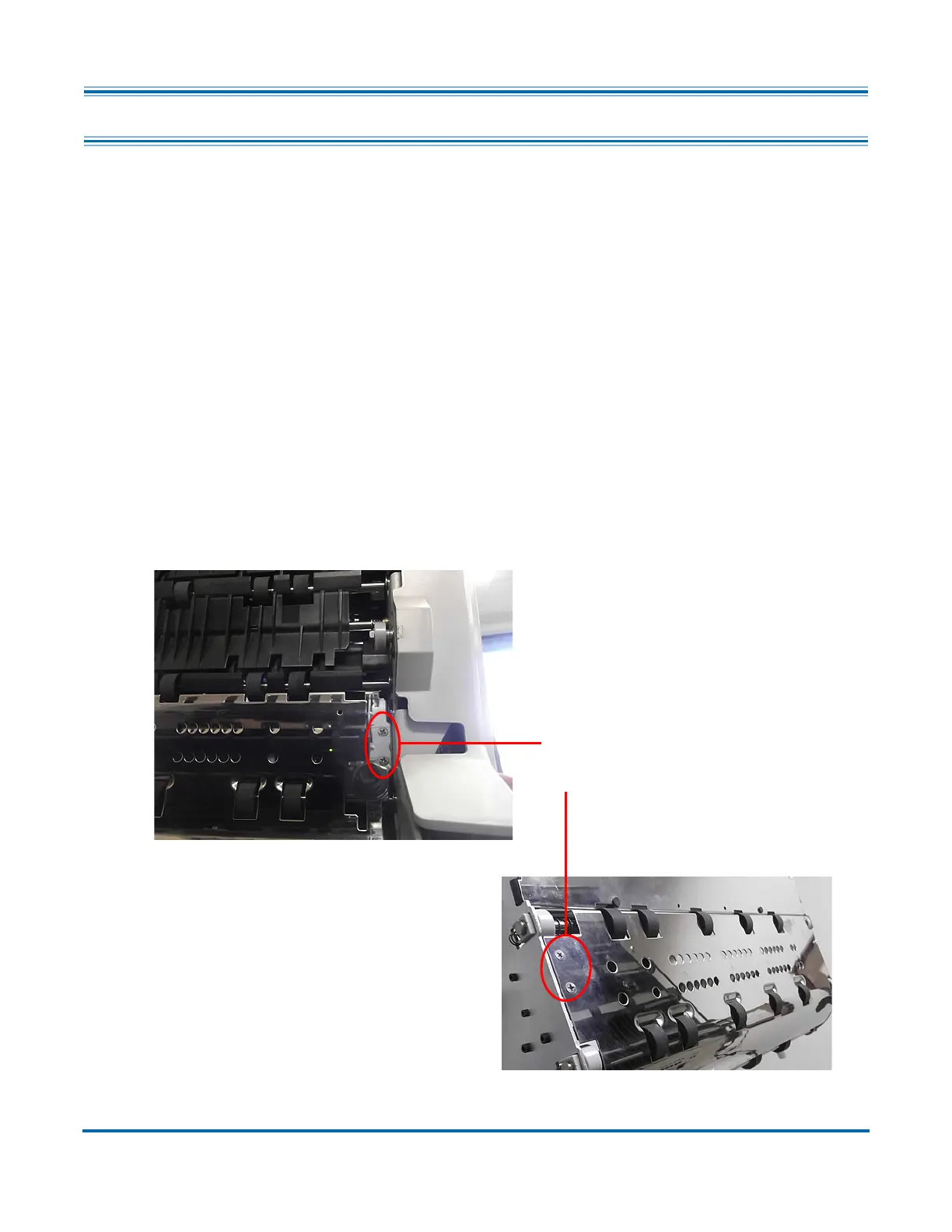
a. Press the appropriate hinged paper guide to release the latch (see
Figure 5-3). The optimal location for pressing the guide is between the
two small screws.
Figure 5-3: Printer Access
Press the hinged
paper guide here
Back Printer Access
Front Printer Access



 To Next Page