120 Maintenance
Falcon+ Operator Manual
OPEX Corporation
Attaching to the Falcon+
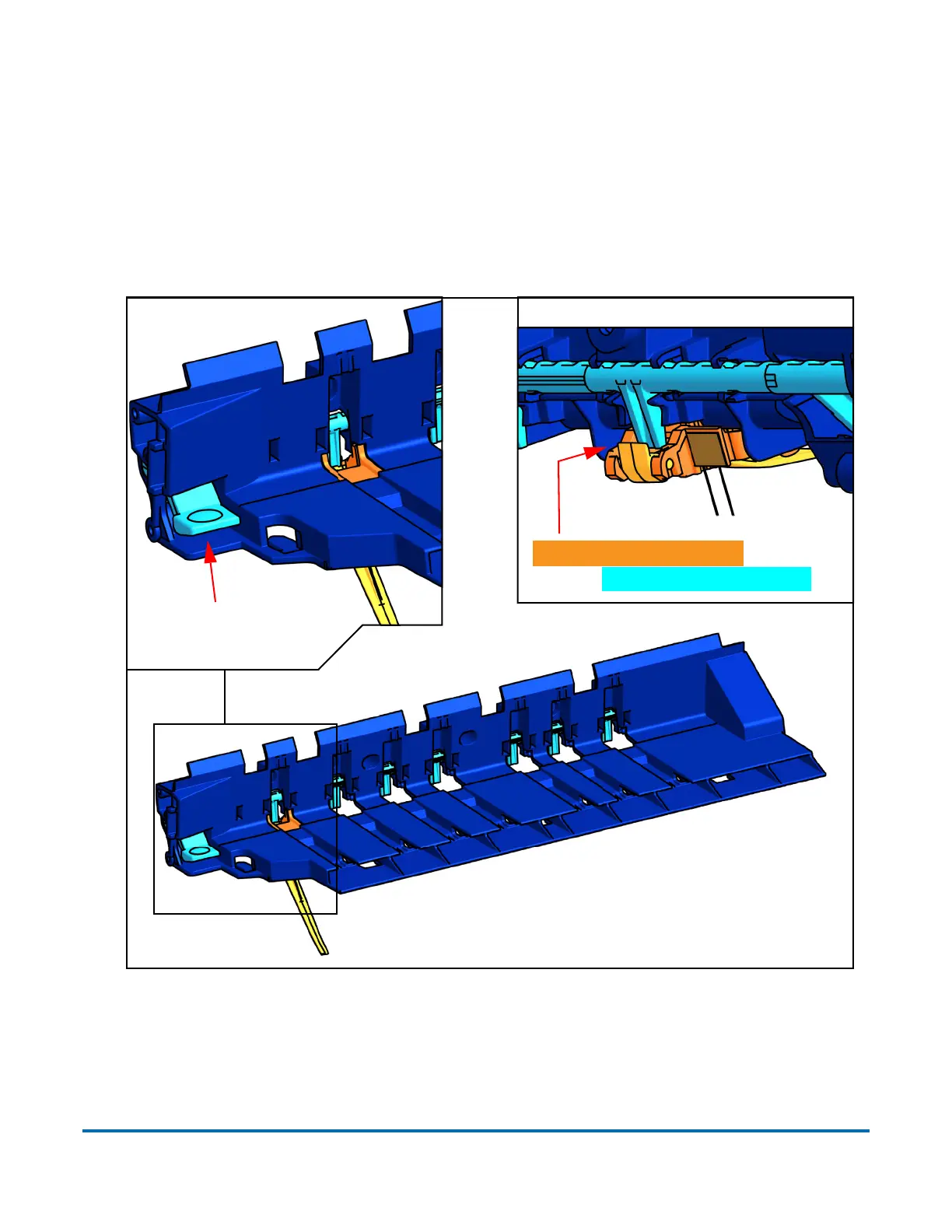
The moving parts of the stacker finger assembly and the stacker bin’s finger
release button must be aligned properly in order to function. To ensure proper
alignment, wedge an object underneath the button to prevent it from moving,
and keep the stacker finger held in the raised position when attaching it.
When properly installed, the stacker finger’s lever is behind the tab on the
release button shaft.
Figure 5-14: Attaching Stacker Fingers
Rear view
Stacker finger’s lever is behind
tab on release button’s shaft
Wedge an object
under this button



 To Next Page