Maintenance 121
Falcon+ Operator Manual
OPEX Corporation
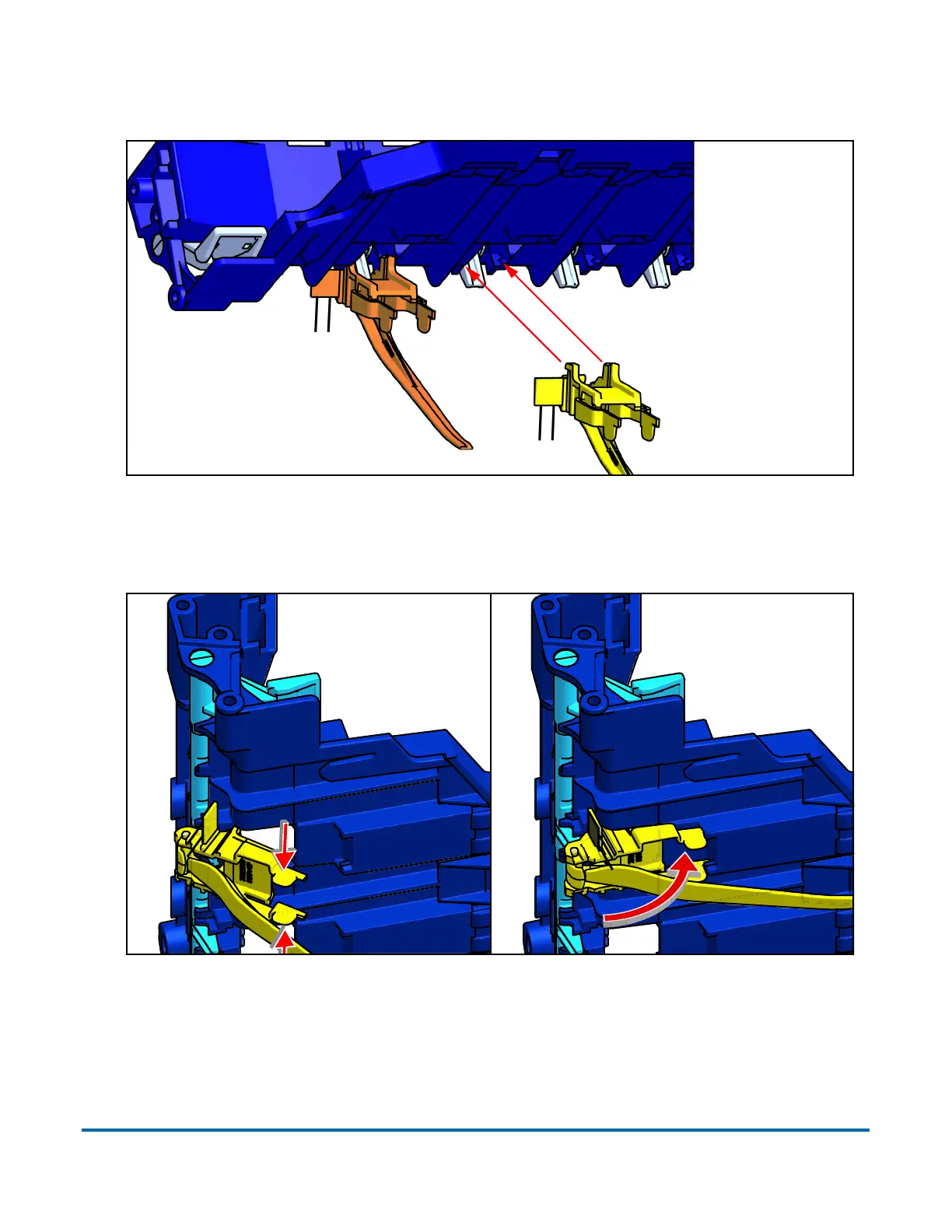
Load the stacker finger assembly in at an angle so the hooks at its top-rear
slide into the notches in the back of the stacker bin base.
Figure 5-15: Attaching Stacker Fingers
Rotate the assembly up into place, while lightly squeezing the front tabs. These
will snap into place.
Figure 5-16: Attaching Stacker Fingers
(Stacker bin
base, seen
from below)
Hooks fit into
notches under
stacker bin base
Squeeze
tabs
Rotate into
position



 To Next Page