EasyManua.ls Logo

Oppo BDP-103EU - User Manual

Oppo BDP-103EU
3 pages
Print Icon
To Next Page IconTo Next Page
Loading...
Pro kit installation manual for
Oppo BDP-103 / BDP-103EU
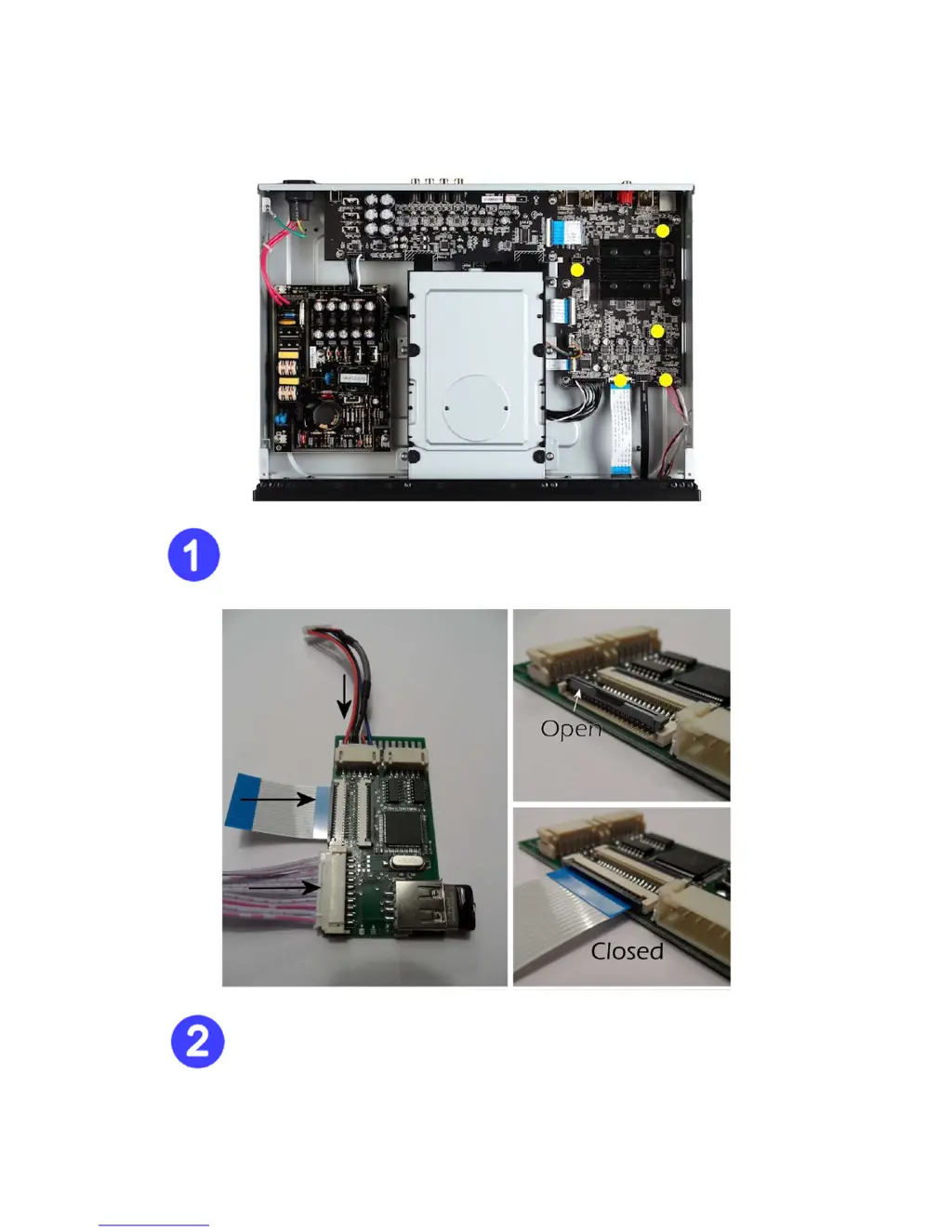
Figure 1
Disconnect the mains cable, and remove the top plate of the player.
Note the yellow marked points where cables must be inserted.
Figure 2
Start by attaching these 3 cables to the kit. The flatcable is inserted by opening the
“flip”-lock, then insert the cable (blue side up), and then close the flip again. If the flip
is difficult to close, please align the cable accordingly so it is perfectly centered. Do not
put excess pressure on the flip.

Other manuals for Oppo BDP-103EU

Questions and Answers

  • J
    Jennifer MccallSep 12, 2025
    How to fix picture rolling or split picture on Oppo BDP-103EU Blu-ray Player?
    • E
      Emily UnderwoodSep 12, 2025
      If the picture is rolling or split, the video system may not be supported by the TV. When playback is completely stopped, set the correct TV System in the Setup Menu.
  • H
    Hannah GutierrezSep 14, 2025
    Why is the color incorrect on my Oppo BDP-103EU Blu-ray Player?
    • M
      Mary HansonSep 14, 2025
      If the color is incorrect, and you're using HDMI for video output, check the color space setting on both the TV and the player.

Oppo BDP-103EU Specifications

General IconGeneral
BrandOppo
ModelBDP-103EU
CategoryBlu-ray Player
LanguageEnglish

Related product manuals