INSTALLATION
17
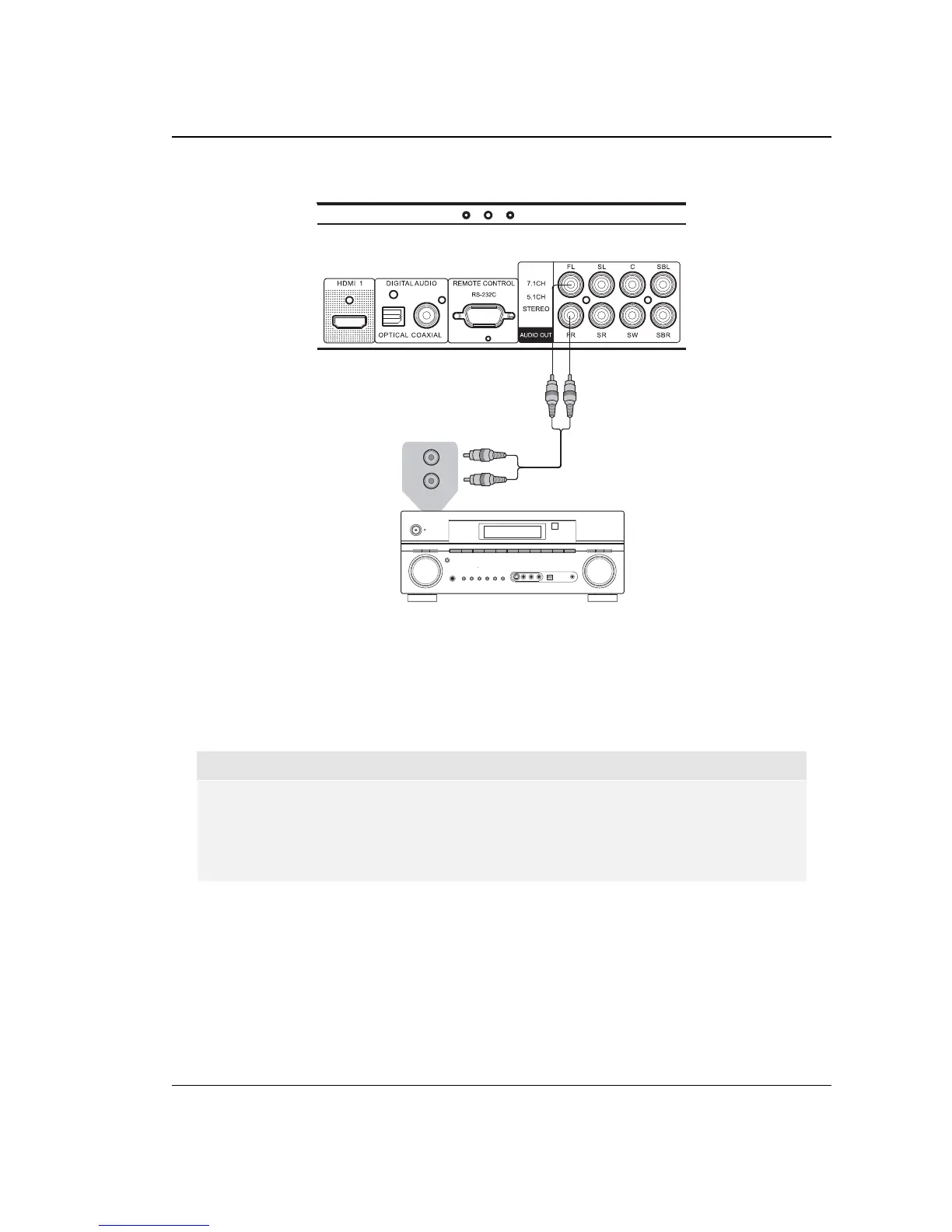
Connecting to a Stereo Audio System
Audio Interconnect Cable
AUD
IO/VI
D
EO M
U
LTI-
CHANN
EL
R
E
C
EIVE
R
Stereo or Surround Audio System
AUDIO IN
L
R
Rear Panel
Method 7 – Stereo Analog Audio Connection
If your audio system offers only stereo audio inputs, or if you would like to connect a
dedicated stereo audio system in addition to the surround audio system which is already
connected to the HDMI, coaxial or optical output, you can connect the dedicated stereo
audio system to the FL (Front Left) and FR (Front Right) terminals of the player.
NOTE
Depending on the capability of your audio system, you may set up your Blu-ray Disc
player with one of the following configurations: if the audio system does not have
surround speakers, please set the down mix mode to “Stereo”; if the audio system has
surround speakers and Dolby Pro Logic or similar surround audio decoding capability,
please set the down mix mode to “LT/RT”. (Please refer to page 69 for details.)



 To Next Page