Installation
- 21 -
optek-sensors AS56, Version 04.2010_1.2US, 15.04.2010
www.optek.com
4. Orientate sensor outside the pipe. After installation, the measuring segment
has to be flown through by process medium and may not point towards the
pipe wall.
Caution!
The probe may in no case touch the opposite wall, a 5 mm (0.20'') distance is
sufficient.
Observe opposite internals!
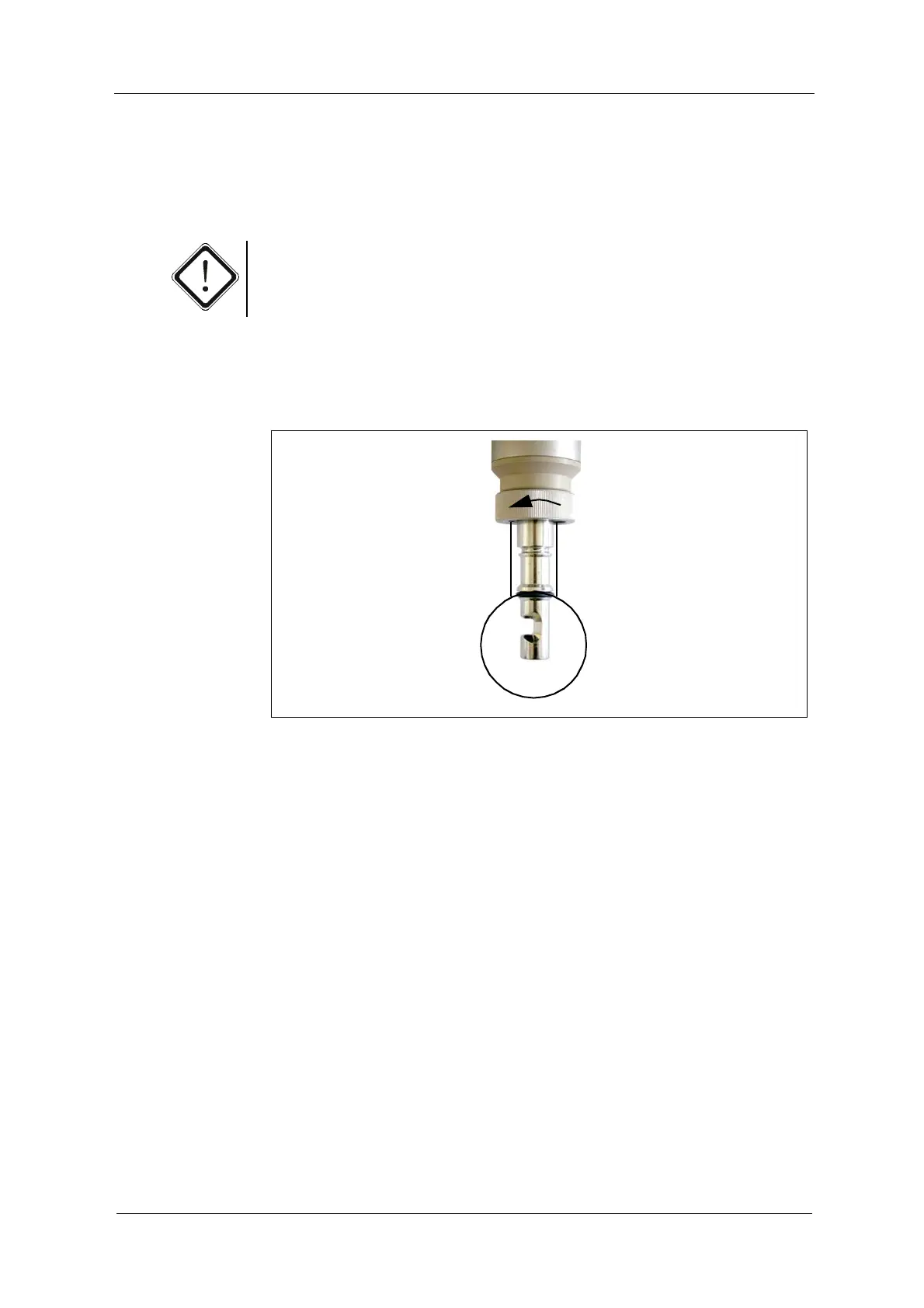
5. Slide the sensor into the weld-in port, adapter or T-piece.
6. Manually screw-tighten swivel nut.
Fig. 13 Tightening swivel nut



 To Next Page